The converted file looked perfect. Every date lined up, every description matched the PDF, the transaction count was right. Then the bookkeeper imported it into the client’s QuickBooks file and the credit card liability balance went negative. Every purchase had landed as a payment, every payment as a purchase. The statement was economically inverted, and because the descriptions looked fine, nobody caught it until reconciliation failed two days later.
Credit card statement conversion is not a formatting exercise. It is an interpretation exercise. Three layers of meaning sit between the source PDF and a correctly posted ledger: the sign the card issuer prints, the economic effect on the liability, and the sign your accounting software expects in its import file. Confuse any two and the books are wrong. This guide covers why those layers diverge, how card payments get double-counted as expenses, how refunds and fees differ from repayments, how statement periods create overlaps, and the checks that catch these errors before they reach the general ledger.
To prevent credit card statement conversion errors, verify the source statement’s sign conventions, distinguish card purchases from repayments and refunds, check for existing transactions, validate the converted data, and review the imported entries before relying on the results.
Who should keep reading
This is for bookkeepers and accounting firms converting credit card statement PDFs or scanned statements into structured data for QuickBooks, Xero, Tally, or similar platforms, especially across multiple clients and card issuers. If you only process bank account statements, the bank statement processing workflow covers that territory instead. If you rely solely on a live card feed, the sign and extraction sections will matter less, but the duplication risks from overlapping feeds and manual imports still apply.
What Makes Credit Card Statement Conversion Different From Bank Statement Conversion
A business bank account generally represents an asset. A credit card account generally represents a liability. That single difference changes the meaning of every sign in the file. A purchase usually increases the card liability. A payment toward the card reduces it. A refund or statement credit may reduce the amount owed, but its treatment depends on the underlying transaction, and interest and fees need to be distinguished from ordinary purchases.
| Transaction type | Typical economic effect | What to verify |
|---|---|---|
| Card purchase | Increases the amount owed | Transaction amount, account mapping, and purchase classification |
| Card repayment | Reduces the card liability | Corresponding bank transaction and the existing ledger entry |
| Merchant refund | Usually reduces the amount owed | The original purchase, refund status, and correct treatment |
| Interest charge | Increases the amount owed | Interest classification and the source amount |
| Card fee | Usually increases the amount owed | Fee type and the applicable account |
| Reversal or chargeback | Depends on the original transaction and status | Whether the original entry is still valid and how the issuer presents it |
These are economic effects, not universal instructions for assigning positive and negative signs to an import file. The statement’s displayed signs are not necessarily the same as the signs or debit/credit treatment your destination software expects. Xero’s CSV import uses its own documented sign convention, and QuickBooks QBO files encode transaction direction through the TRNTYPE and TRNAMT fields in the OFX format. Check the official import documentation for your platform before relying on any sign.
Why Credit Card Transactions Can Have Reversed Signs After Conversion
Credit card transactions show reversed signs after conversion when the issuer’s statement sign convention differs from the sign your accounting software expects for a liability account. The amount can be extracted correctly while its meaning is applied in the wrong direction.
Three separate things get treated as one, and that is the root cause of sign-inversion errors:
- The sign or notation shown on the original credit card statement.
- The economic effect on the card liability.
- The amount-sign or debit/credit convention expected by the destination software.
Some issuers show purchases as positive and payments as negative. Others reverse that. Some use separate charges and credits columns, and some print a DR/CR indicator that means something specific to that issuer. An error occurs when a conversion reads the amount correctly but interprets its meaning incorrectly, or when a correctly extracted amount is transformed using the wrong destination convention.
A worked example of purchases, payments, and refunds
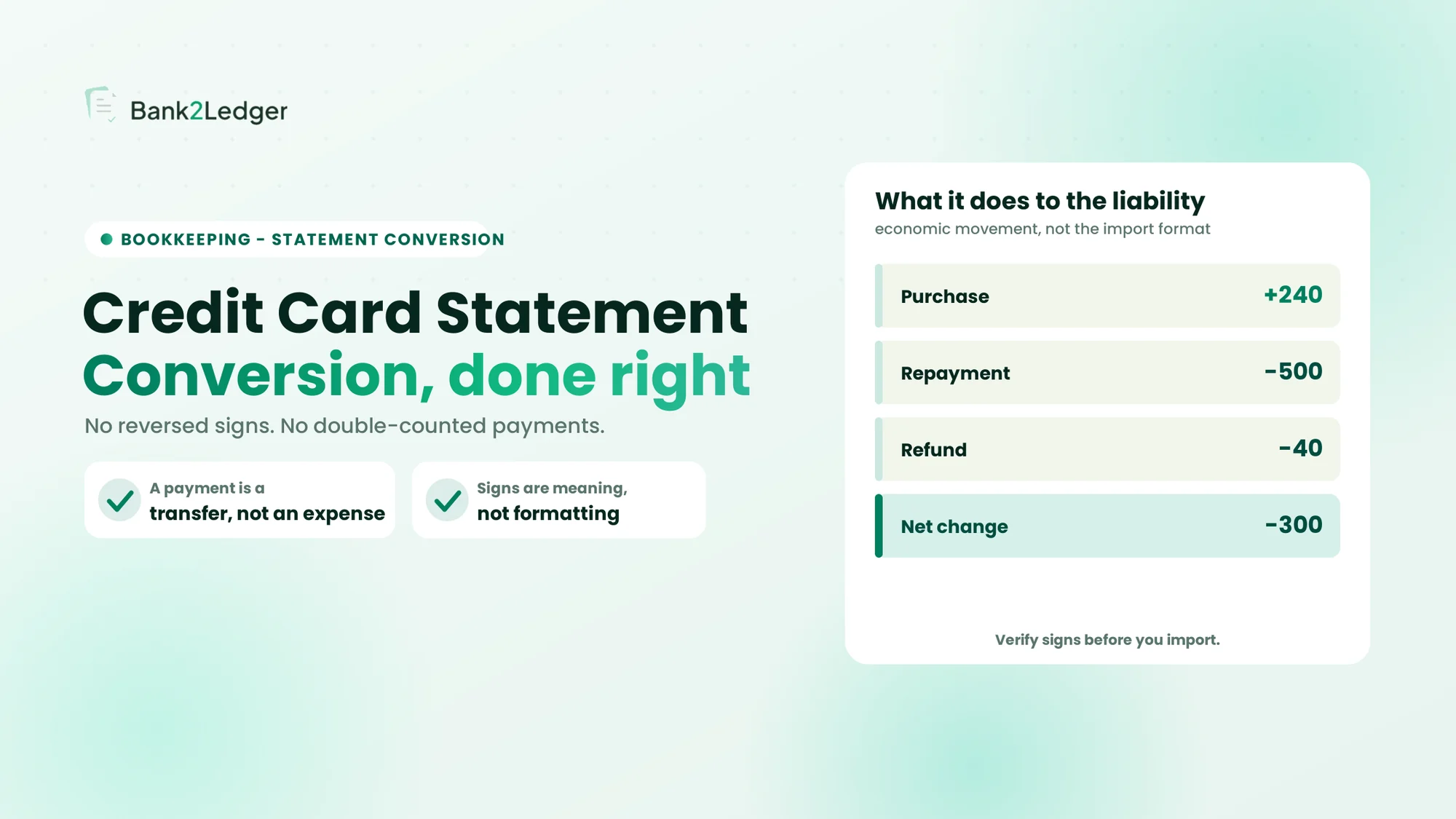
Take an illustrative statement with a purchase of 240, a card repayment of 500, and a merchant refund of 40, all on the card account. The purchase increases the liability, and the repayment and refund both decrease it:
| Event | Illustrative liability movement |
|---|---|
| Purchase | +240 |
| Repayment | −500 |
| Refund | −40 |
| Net change | −300 |
The net movement is a reduction of 300 in the amount owed. This table describes economic liability movements only. It does not prescribe the sign format for a CSV or other import file. If a different issuer showed purchases as negative and payments as positive, the same conversion logic would invert everything, and the reconciliation difference would be roughly twice the statement balance, which is the diagnostic signature of a sign inversion.
How to verify signs before importing
- Inspect the statement’s column headings and transaction notation.
- Identify how purchases, payments, refunds, and credits are represented.
- Check the destination software’s official import instructions.
- Compare sample converted rows against the source statement.
- Confirm the transaction direction makes sense for the relevant account.
- Investigate inconsistencies rather than reversing all signs automatically.
Pick one known purchase and one known payment, trace each through the conversion output, and check what sign the destination expects for a liability-increasing versus liability-decreasing transaction. Apply any sign correction once, upstream, and record the rule. Do not change signs blindly to force a balance match. This is the point where the job turns from extraction into validation, which is why extraction accuracy alone is not enough.
How Credit Card Payments Get Double-Counted
This is the most expensive mistake in credit card statement conversion, and it is a workflow error, not an extraction error. A repayment can legitimately appear in both the bank account and the credit card account, because it is a transfer between two accounts.
Example: a business makes an 800 card repayment
A client pays 800 from the business checking account toward the card. Two things happen in the real world, and both belong in the books:
- The checking account decreases by 800 (the bank statement shows an outgoing payment).
- The credit card liability decreases by 800 (the card statement shows a payment received).
These are two records of one economic event: a transfer. No new expense is created, because the underlying purchases were already recorded when the card transactions were imported. The double-counting happens when someone imports the card statement and codes that 800 payment as an expense, such as Office Expenses or Miscellaneous. Now the books show the original purchases plus another 800 in phantom expenses, and the profit and loss is overstated. Recording both the bank side and the card side of the repayment is correct; do not assume one of the two legitimate entries must be deleted.
How to distinguish a duplicate from a legitimate transfer
| Situation | Potential issue | What to check |
|---|---|---|
| Same card purchase imported twice | Duplicate expense | Account, date, amount, description, and the existing entry |
| Repayment coded as a new expense | Expense overstated | Original purchase entries and the account mapping |
| Bank and card sides of a repayment both recorded | May be a legitimate transfer | Whether both entries correctly represent the two accounts |
| Two overlapping statements imported | Repeated transaction rows | Statement periods and the transaction history |
| Bank feed and converted statement both contain a transaction | Possible duplicate | The existing register and the source of each entry |
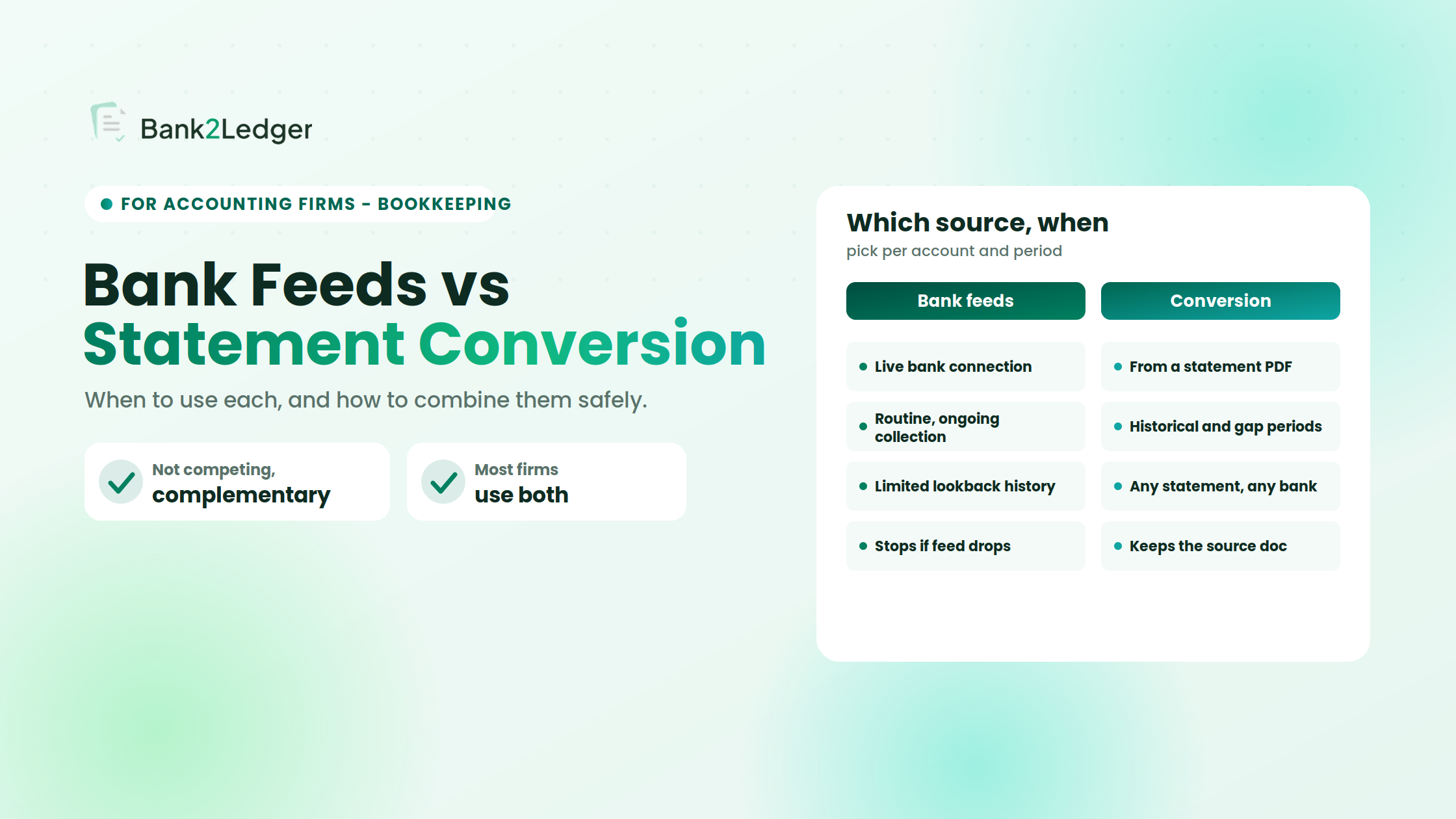
Date-and-amount matching surfaces candidates for review; it does not prove duplication. Two 50 transactions on the same date might be two separate coffee runs, so automatic deletion based on amount alone is unsafe. Stronger checks add the first few characters of the payee, the transaction source, and the existing ledger state. For the broader trade-off between feeds and conversion, see bank feeds versus statement conversion.
Refunds, Reversals, Fees, and Interest: Do Not Treat Every Credit Alike
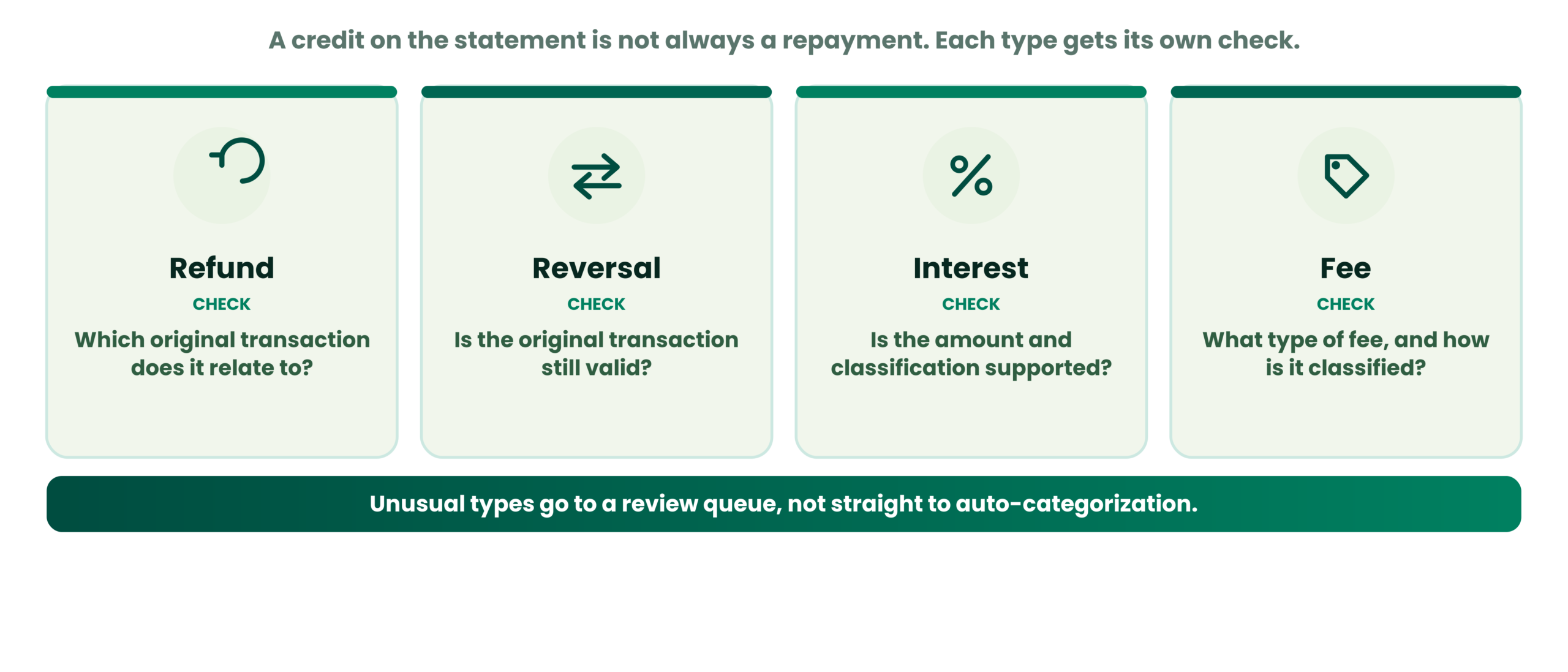
A credit on a statement is not necessarily a card repayment. Collapsing these types together quietly distorts category-level reporting.
Merchant refunds
A refund relates to an earlier purchase and should typically offset or reverse the original expense. Check the original transaction and how the accounting system treats it. A refund mapped as a card payment leaves the original expense sitting in the profit and loss unreversed.
Reversed or disputed transactions
A reversal or chargeback can have a different status and accounting consequence from a settled refund. It may be reversed again later, so the original transaction should be reviewed rather than simply deleted.
Interest and card fees
Interest and fees increase the liability but are not purchases of goods or services. They should be identifiable as separate transaction types and mapped to their own accounts, not lumped with purchases.
| Transaction | Key verification question |
|---|---|
| Refund | Which original transaction does it relate to? |
| Reversal | Is the original transaction still valid? |
| Interest | Is the amount and classification supported by the statement? |
| Fee | What type of fee was charged, and how should it be classified? |
Unusual transaction types are exactly what should be queued for review rather than auto-categorized, which is where a transaction flagging workflow helps.
How Statement Periods and Overlapping Imports Create Errors
Credit card statement cycles rarely align with calendar months or an accounting period. A statement closing on the 22nd contains transactions that overlap with the previous month’s books and the current month’s bank feed coverage. Watch for the transaction date versus the posting date where the issuer distinguishes them, the statement closing date, transactions already imported through another workflow, overlapping or repeated date ranges, and differences between statement periods and reporting periods.
How to avoid importing the same period twice
- Confirm the statement’s start and end dates.
- Check which transactions are already present in the relevant account.
- Identify overlap with prior statements and other import sources.
- Investigate potential duplicates before import.
- Review the final imported range against the intended period.
Not every platform detects duplicates or applies date rules the same way. A balance that ties out does not guarantee every transaction is present, but a balance that does not tie out is a clear signal to stop.
A Safer Credit Card Statement Conversion Workflow
These seven steps work as a standalone reference for processing a client’s statement.
| Workflow stage | Main check | Errors it may reveal |
|---|---|---|
| Source review | Client, card, and date range | Wrong account or statement |
| Extraction | Page and transaction coverage | Missing or duplicated rows |
| Sign validation | Source notation versus target format | Reversed transaction direction |
| Account mapping | Liability and transaction classification | Repayment recorded as an expense |
| Duplicate review | Existing entries and overlapping imports | Repeated transactions |
| Validation | Totals, counts, and source comparisons | Inconsistencies or missing activity |
| Post-import review | Imported entries and resulting account | Import or mapping problems |
These checks reduce risk, but they do not guarantee that every accounting error will be caught.
How to Validate Converted Data Before Importing It
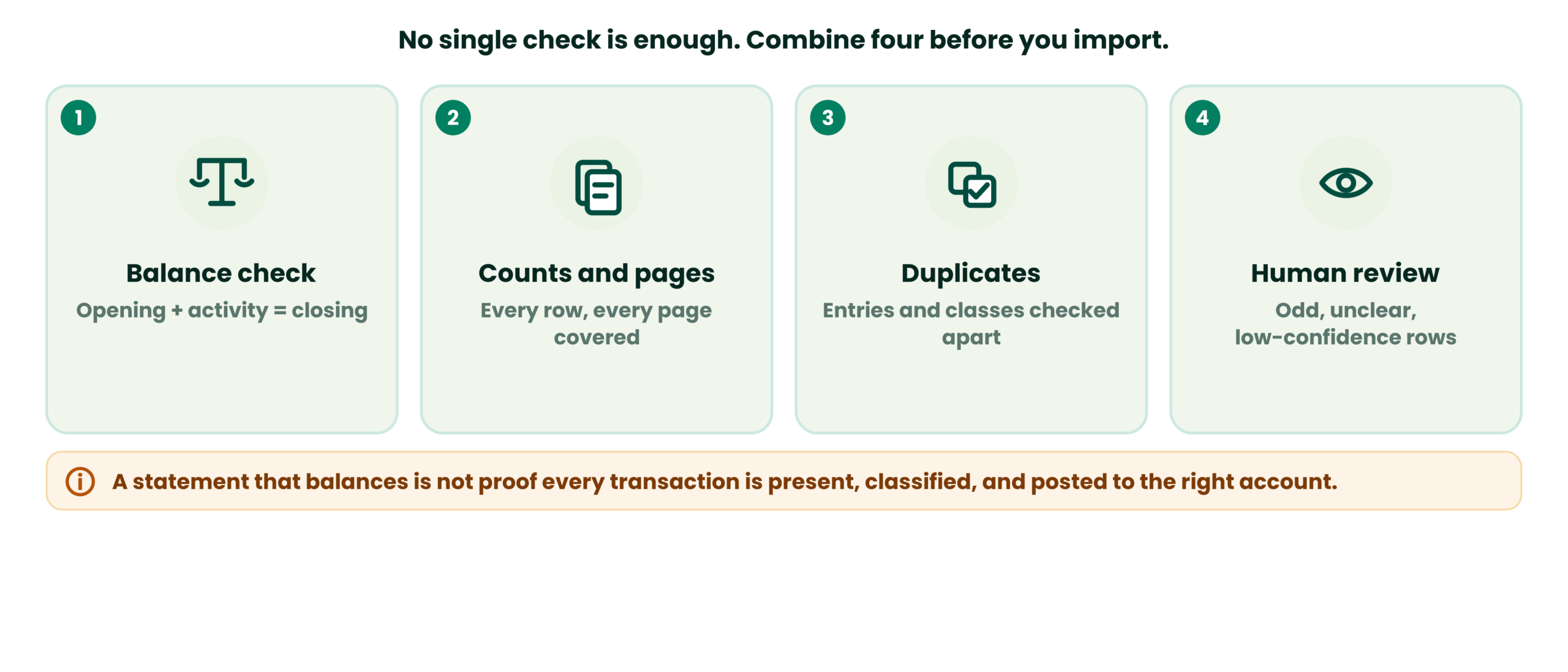
No single check is sufficient, so combine a few.
Opening and closing balance checks
Opening balance plus transaction activity equals closing balance is necessary in most workflows, and it catches missing rows, duplicated amounts, and gross sign errors. It will not catch a row with the right amount but the wrong sign if another row carries a compensating error, so interpret it using the correct convention for the issuer’s display format rather than one universal equation.
Transaction counts and page coverage
Checking the number of rows and comparing every statement page can reveal omissions that a balance check alone may miss.
Duplicate and classification checks
A complete transaction list can still contain duplicate entries or incorrect classifications. Check transaction types and existing ledger records separately.
Exceptions that need human review
Unclear descriptions, uncertain transaction types, unexplained balance differences, possible reversals, and low-confidence extraction results all need a person. A statement that balances mathematically does not prove that every transaction is present, correctly classified, or posted to the right account. For the step after this, see reconciliation after PDF conversion, and use the statement’s printed closing date and balance rather than an assumed month-end.
Where Bank2Ledger Fits Into This Workflow
Bank2Ledger sits between the PDF and the import. It extracts each transaction from digital or scanned statements, including credit card statements, and runs a balance check that flags the exact page when opening plus activity does not equal closing. It maps transactions against the client’s imported chart of accounts using plain-language rules, routes low-confidence lines to a review queue where nothing posts without approval, and links every entry back to its page and line in the source PDF. Exports are shaped for the destination: a QBO file for the QuickBooks feed, a CSV for Xero, XML for Tally Prime, and CSV or working papers for other platforms.
Keep the distinction clear. Conversion tools structure the statement data, validation checks identify potential issues, the accounting software’s import rules determine how data should be formatted, and appropriate review is still needed to verify the final result. No tool automatically prevents every duplicate, resolves every sign convention, or replaces professional judgment.
Credit Card Statement Conversion Checklist
- ✓Correct client, card account, and statement period selected.
- ✓Source PDF preserved as the audit reference.
- ✓All pages and transaction rows accounted for.
- ✓Source signs checked against the target import format.
- ✓Purchases, payments, refunds, reversals, fees, and interest distinguished.
- ✓Correct liability account and relevant mappings confirmed.
- ✓Existing transactions and overlapping imports checked.
- ✓Balance calculation and transaction counts reviewed.
- ✓Uncertain or unusual transactions flagged for review.
- ✓Post-import review planned.
Frequently Asked Questions
Why do credit card transactions sometimes have reversed signs after conversion?
The card issuer’s statement-side sign convention may differ from what your accounting software expects for a liability account. A purchase shown as positive on the statement might need to be positive or negative in the import file depending on the platform. When the conversion does not account for the mismatch, every transaction lands with the wrong economic direction and the ledger inverts.
How should credit card payments be recorded without double-counting expenses?
Code the payment as a transfer between the checking account and the credit card liability account. The checking side reduces cash, the card side reduces the amount owed, and no new expense is created because the original purchases were already recorded when the card transactions were imported.
Can I convert a credit card statement PDF to Excel?
Yes. Conversion tools and manual methods can extract transaction data from a credit card PDF into Excel or CSV. The file-format conversion is the easy part; verifying signs, mapping accounts, and preventing duplicates is where the accounting risk sits.
How do I check whether a converted credit card statement is complete?
Compare the transaction count and total against the source PDF, verify that the opening balance plus net activity equals the closing balance, and check page-by-page coverage. A balance that ties is necessary but does not prove every individual row is correct.
Should a credit card payment be categorised as an expense?
Almost never. A payment to the card settles a liability, and the expenses were already recorded when the purchases were imported. Categorising the payment as an expense double-counts the spending.
What should I check before importing credit card transactions into accounting software?
Verify the sign convention matches your platform’s import specification, confirm the destination is the correct liability account, check for overlapping entries from existing feeds, and confirm that payments are coded as transfers and that refunds, fees, and interest are mapped to appropriate accounts. The QuickBooks conversion guide and Xero conversion guide cover platform-specific requirements.
Conclusion
A successful conversion is not a PDF turned into rows and amounts. It is a workflow that preserves what each transaction did to the liability, distinguishes repayments from expenses, checks for duplicates, validates the result, and reviews the imported records.
Preserve transaction meaning, not just the numbers. The next challenge after signs and duplicates is building consistent categorization rules across multiple clients and card issuers.
Convert client card statements with the checks built in
Bank2Ledger extracts the statement, runs the balance check, maps your chart of accounts, and queues exceptions for review before the data reaches your accounting software.