The extraction tool says “Success.” The spreadsheet opens. Columns are neat. Dates, descriptions, amounts, all sitting in rows exactly where you’d expect them. Fourteen hundred transactions from a client’s operating account, three months of activity, pulled from a scanned PDF in under a minute.
And none of that tells you whether the data is correct.
A successful conversion proves one thing: a file was produced. It does not prove that every transaction survived extraction, that amounts kept their decimals, that the sign convention landed the right way, or that page seven didn’t silently vanish. The distance between a clean-looking spreadsheet and accounting-ready data is where most of the risk actually lives, and it’s a distance that almost no conversion tool’s marketing bothers to explain.
This article covers what sits between PDF extraction and trusted financial data. By the end, you’ll understand the specific verification controls that separate a converted file from a file you can actually post.
Who this is for (and who it isn’t)
If you’re running a multi-client bookkeeping practice, processing outsourced statements at volume, or closing monthly books where bank statements arrive as PDFs, this is directly relevant.
If you’re a business owner who logs into online banking and downloads transactions as a CSV, your bank already gave you structured data. You can skip this. The problem described here starts when the source document is a PDF, especially a scanned one, and the only way to get transaction data out is through extraction.
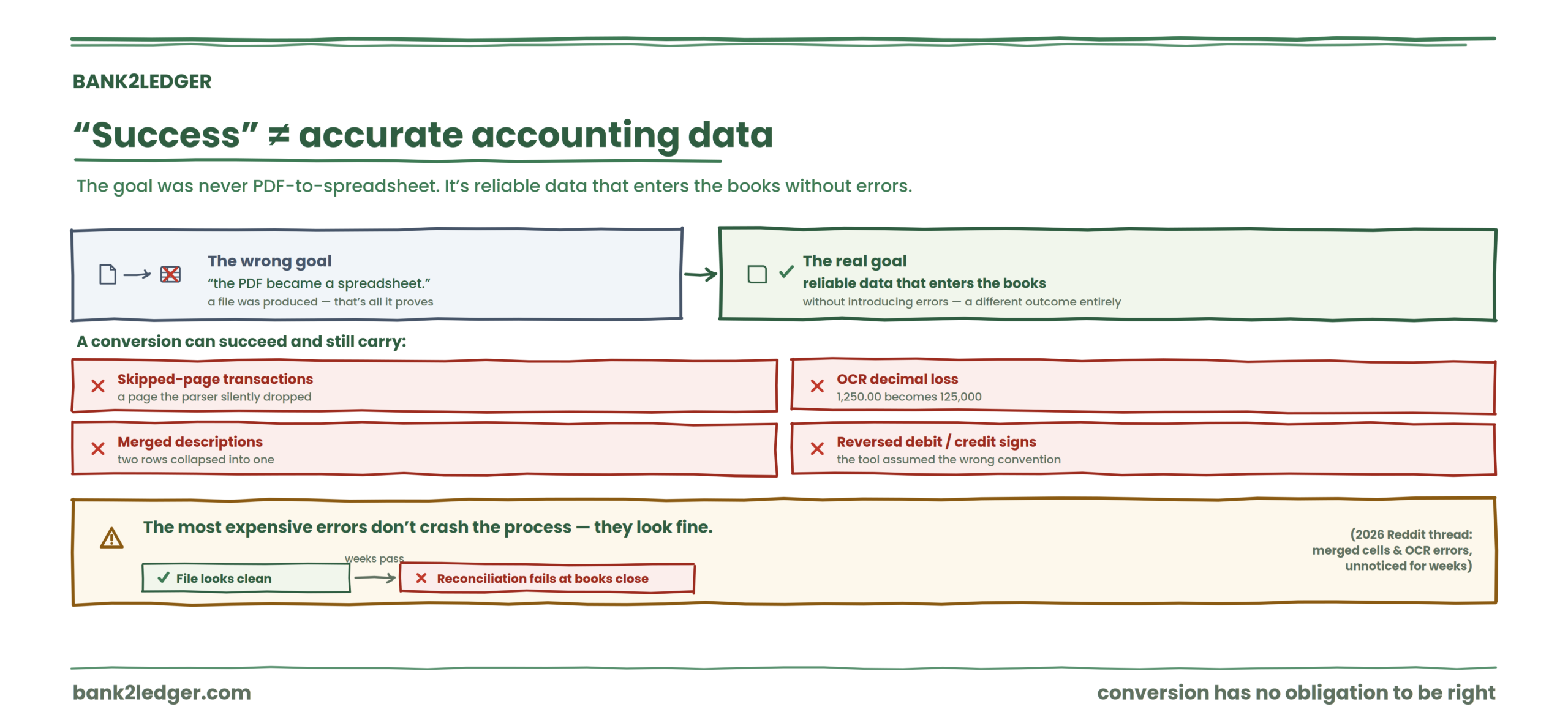
A successful PDF conversion is not proof of accurate accounting data
The goal was never “turn a PDF into a spreadsheet.” The goal is reliable transaction data that can enter the accounting workflow without introducing errors into the books.
Those are different outcomes. A conversion can succeed on its own terms and still deliver data with real problems. Missing transactions from a page the parser skipped. Amounts that lost a decimal point during OCR. Descriptions merged across two rows because the bank wrapped text in an unusual way. Debits and credits reversed because the extraction tool assumed one sign convention and the bank used another.
A 2026 Reddit thread highlighted this exact failure mode: extraction issues like merged cells or OCR errors going completely unnoticed until reconciliation fails weeks later, during the books close. The most expensive problems aren’t the ones that crash the process. They’re the ones that look fine.
If you’ve been converting bank statements into accounting software and skipping systematic verification, you’ve been trusting the output of a process that has no built-in obligation to be right.
Transaction verification and bank reconciliation are different controls
This distinction matters more than almost anything else in this workflow, and it gets collapsed constantly. Guides, software documentation, even experienced accountants sometimes use “reconciliation” to describe what is actually verification. They are separate controls that catch separate problems.
| Transaction verification | Bank reconciliation | |
|---|---|---|
| Compares | Extracted data against the source PDF | Accounting records against bank activity |
| Focuses on | Extraction accuracy | Accounting completeness |
| Happens during | Data preparation, before import | The accounting control process, after posting |
| Catches | OCR errors, missing rows, sign problems | Unreconciled items, timing differences, unrecorded entries |
Transaction verification checks whether extracted bank statement data accurately represents the source statement. Bank reconciliation checks whether the accounting records agree with the bank. One happens before the data enters the accounting system. The other happens inside it. Skipping the first doesn’t just create more work during the second. It contaminates the second with errors that shouldn’t be there at all.
The four checks between PDF extraction and trusted accounting data
No single test catches everything. A file can pass one check and still fail another. These four controls work together, and each one exists because the others have blind spots.
→
Arithmetic integrity
→
Transaction integrity
→
Accounting readiness
1. Check that every transaction was captured
Completeness. Did every transaction from the original statement make it into the extracted dataset?
This is where missing pages, skipped rows, and broken table structures do their damage. A parser might handle pages one through six perfectly and silently drop page seven because the layout shifted. You’d never notice from the spreadsheet alone.
The running balance column is your fastest diagnostic here. If the source PDF includes a running balance and the extracted data shows an unexplained jump between two consecutive rows, something got lost. Compare the transaction count against any summary the bank provides. Check that the first and last transactions in the extracted file match the first and last on the PDF.
2. Check that the statement ties out
Arithmetic integrity. This is the statement tie-out.
The concept is straightforward: opening balance, plus money in, minus money out, should equal the closing balance. If it doesn’t, the extraction is dirty. Missing transactions, incorrect amounts, or sign reversals will break this equation.
+
Money in
−
Money out
=
Closing balance
Say the opening balance is 12,400. Credits total 85,000. Debits total 79,200. If the closing balance on the PDF reads 18,200, the math works. If your extracted data produces a closing balance of 18,150, you have a fifty-dollar problem somewhere. Could be one transaction. Could be a decimal that moved.
This check is powerful, but it has limits. Two offsetting errors (one amount too high, another too low by the same figure) would still let the statement tie out while both individual transactions remain wrong. Which is why you need the next check.
3. Check individual transaction data
Transaction row integrity. Are the fields themselves correct?
Dates, descriptions, amounts, debit/credit direction, duplicates. A statement can tie out perfectly while carrying a description that was mangled by OCR, a date that shifted by a day, or a transaction that was ingested twice because of page overlap during batch processing.
The stop/go test that works in practice: pick five random rows and compare them against the source PDF. If two or more have wrong dates, amounts, or descriptions, stop and reprocess. This isn’t a statistical sample. It’s a circuit breaker.
Debit/credit normalization deserves its own attention. Different banks use different conventions. Some show debits as negative numbers. Some use separate columns. Some use a single amount column with a transaction type indicator. If the extraction tool assumed one convention and the bank used another, every sign in the file could be flipped. The statement might still tie out (the math works either way), but importing reversed signs into your accounting software will wreck the ledger.
4. Check whether the data is actually accounting-ready
Extraction is the beginning, not the finish line. Verified transaction data still needs categorization against a chart of accounts before it can do anything useful inside an accounting system.
This means transaction categorization using rules and a Chart of Accounts, exception handling for ambiguous entries, and professional review of anything the automation wasn’t confident about. An amount hitting “Miscellaneous Expense” because no rule matched isn’t an error in the traditional sense, but it’s not ready for the books either.
The exception queue exists for a reason. Low-confidence fields, unrecognized payees, amounts that could map to more than one account. These need a human decision, not a default.
Where PDF bank statement errors usually enter the workflow
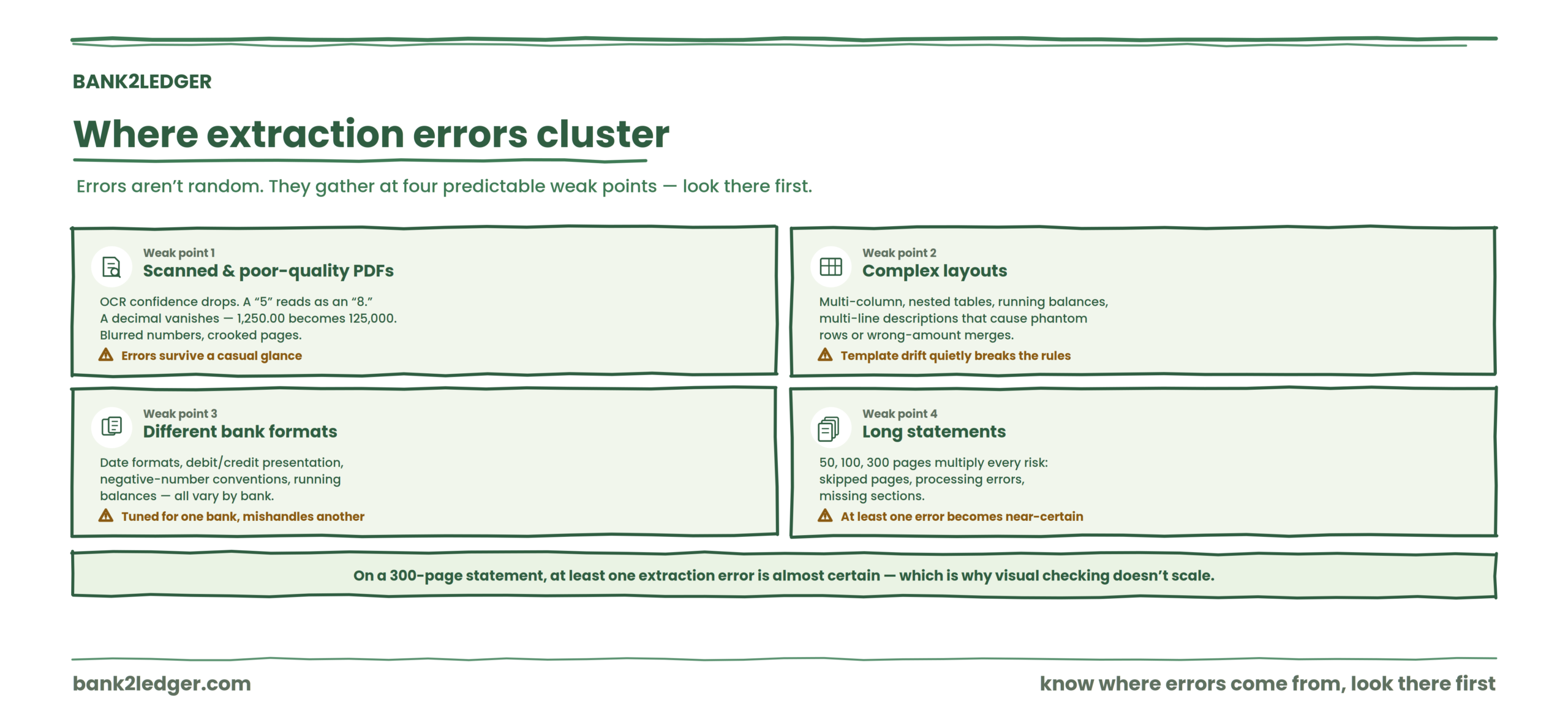
Extraction errors don’t appear randomly. They cluster around a few predictable weak points in the source document. Knowing where they come from tells you where to look first.
Scanned and poor-quality PDFs
Scanned PDFs are the worst offenders. OCR confidence drops on poor-quality scans, and the errors aren’t always obvious: a character misread, a blurred number, a crooked page. A “5” that reads as an “8.” A decimal that vanishes, turning 1,250.00 into 125,000. These survive a casual glance at the spreadsheet.
Complex bank statement layouts
Multiple columns, nested tables, running balances, and multi-line descriptions all make extraction harder. When a bank wraps a transaction description across two lines in the PDF, a parser might split it into two rows, creating a phantom transaction. Or it merges the description but assigns it to the wrong amount. Template drift is the slow-burn version: a bank changes its layout (column order, font, spacing) and extraction rules that worked for months start producing garbage. The first sign is usually a tie-out failure, but if the change is subtle, it might only corrupt descriptions while leaving amounts intact.
Different bank formats
Every bank structures its statements differently. Date formats vary, debit and credit presentation varies, negative-number conventions vary, and running balances may or may not appear. An extraction process tuned for one bank’s format can quietly mishandle another’s, which is why sign normalization and format checks matter so much before import.
Long statements
Long statements (fifty, a hundred, three hundred pages) multiply every risk: more opportunities for skipped pages, processing errors, and missing sections. The probability of at least one extraction error on a three-hundred-page statement isn’t slightly higher than on a two-page statement. It’s almost certain. Which is exactly why visual checking doesn’t scale.
Why visual checking alone is a weak control
A spreadsheet full of extracted transactions can look clean, organized, and complete while containing errors that won’t surface until the books close. The more transactions you’re processing, the less reliable eyeballing becomes.
Spot-checking five rows on a thirty-transaction statement is reasonable. Spot-checking five rows on a fourteen-hundred-transaction statement is a ritual, not a control. Systematic checks (tie-out, running balance verification, automated field validation) catch what eyes miss, especially at volume.
What “tying out” actually proves, and what it doesn’t
A successful tie-out provides real confidence about mathematical completeness. If opening balance plus net activity equals closing balance, you know the total dollars moved through the account are accounted for in the extracted data.
A tie-out gives confidence about
✓ Mathematical consistency
✓ The relationship between opening and closing balances
✓ Completeness of transaction totals
It does NOT automatically prove
✗ Correct accounting categories or treatment
✗ Perfect descriptions, dates, or no duplicates
✗ Professional reconciliation against the books
It does not prove that every description is correct. It does not prove that every date is accurate. It does not prove that categorization is right, that duplicates don’t exist (a duplicate in and a duplicate out could cancel), or that the data has been professionally reconciled against the accounting records. Tie-out is necessary. Sufficient, it is not.
Verification that scales past eyeballing rows
Bank2Ledger extracts transactions, checks the tie-out against opening and closing balances, applies client-specific categorization rules, and flags uncertain rows for review, so verification is a control, not a ritual.
Where practitioners disagree
There’s a live debate about whether tie-out alone is enough verification for high-volume, low-risk transaction sets. One camp argues that if the statement ties out and the source is a digital (not scanned) PDF, individual row verification is overkill because digital PDFs don’t suffer OCR errors. The other camp points out that parser errors, template drift, and multi-line description problems exist independently of OCR. I land with the second group. Digital PDFs are more reliable inputs, but extraction logic can still break on layout changes, and skipping row-level checks because the input “should” be clean is the kind of shortcut that works right up until it doesn’t.
What happens after bank statement data is verified?
Verified transactions move into the pre-accounting process, not directly into the general ledger. These preparation steps form the broader pre-accounting layer that happens between raw financial documents and the accounting records. The full sequence runs like this:
Each stage is distinct. Categorization assigns transactions to accounts. Exception review catches what automation couldn’t resolve. Export preparation formats data for the target system. Import loads it. Reconciliation, the actual bank reconciliation, happens after all of that, comparing the posted books against bank activity and resolving timing differences, outstanding checks, and unrecorded items.
From verified transactions to posted books
The goal is not simply PDF → spreadsheet. The real workflow runs from source document to verified data to categorized transactions to reviewed exceptions to the accounting system to posted books. Verification is only one part of that wider journey from bank statement to posted books, which is longer than most conversion tool marketing suggests.
The ghost errors that surface late
| Problem | Root cause | The fix that actually works |
|---|---|---|
| Closing balance doesn’t match after import | Missing rows or sign reversal during extraction | Re-run extraction, compare against the PDF running balance line by line |
| Descriptions split across multiple rows | Layout parsing failed on wrapped text | Stitch descriptions before export or use a bank-specific template |
| Duplicate transactions appear | Page overlap during batch processing | Deduplicate against date + amount + description before posting |
| Missing decimals in amounts | OCR misread punctuation | Search all numeric columns for suspicious round numbers |
| Export imports but reconciliation still fails | Debit/credit sign convention mismatch | Normalize signs before import, verify net movement against statement totals |
These aren’t hypothetical. They’re the problems that show up in practice, documented in community forums and practitioner threads, and they’re exactly the kind of thing that AI-assisted bank statement extraction alone doesn’t catch without structured verification on top.
Where Bank2Ledger fits into the process
Most extraction tools stop at producing a structured table, but a table alone isn’t enough, which is the same reason whether AI can convert a bank statement into a usable ledger is a more complicated question than it sounds. Bank2Ledger is built for the preparation layer that sits between a raw PDF and the accounting workflow. In practice, it helps firms:
Crucially, Bank2Ledger handles the preparation layer before transactions move into the accounting workflow. It does not replace professional accounting judgment or formal reconciliation. The accountant stays in control of review and the decisions that require professional judgment.
A better standard for bank statement automation
The wrong success metric: “The PDF became an Excel file.”
The right one: the transaction data was extracted, verified against the source statement, reviewed at the field level, categorized against a client-specific chart of accounts, and prepared for import into the accounting system where the books actually live.
That’s the gap most conversion tools leave open. And it’s the gap where accounting errors are born. The purpose of automation isn’t simply producing files faster. It’s reducing manual work without removing the controls accountants need to trust the data.
A bank statement conversion shouldn’t end at the spreadsheet
Bank2Ledger helps accounting firms move from raw bank statement PDFs to verified, categorized, and reviewable transaction data ready for the next stage of the accounting workflow.
FAQs
Is converting a bank statement PDF enough for bookkeeping?
No. Conversion creates structured data from a PDF, but that data can contain missing transactions, OCR errors, sign reversals, and broken descriptions. Accountants need to verify completeness and accuracy before relying on converted data for accounting entries or reconciliation.
What does it mean when a bank statement ties out?
It means the opening balance plus credits minus debits equals the closing balance shown on the original statement. A successful tie-out confirms mathematical completeness of the extracted transactions. It does not confirm that individual descriptions, dates, or categories are correct.
Is transaction verification the same as bank reconciliation?
No. Transaction verification compares extracted data against the source PDF to catch extraction errors. Bank reconciliation compares the accounting records against bank activity to identify timing differences, missing entries, and unreconciled items. Verification happens before import. Reconciliation happens after posting.
What errors can happen during PDF bank statement conversion?
Missing transactions from skipped pages, duplicate rows from page overlap, incorrect amounts from OCR misreads, lost decimal points, reversed debit/credit signs, merged or truncated descriptions, wrong dates, and broken row structure from multi-line text wrapping. Any of these can exist in a file that otherwise looks clean.
Should transactions be categorized before or after they are verified?
Verify that the extracted transaction data is complete and reliable first. Categorization can then be applied with greater confidence, because categorizing data that later turns out to be incomplete or mis-extracted just moves the error further down the workflow.