A firm I worked with ran a pilot last year. They fed 40 client statements through an extraction tool, got a report back: 98.7% field-level accuracy. The partner was thrilled. Then the senior bookkeeper started importing the output into QuickBooks.
Within two hours she’d found a statement where the closing balance was off by $4,200. Every individual field the tool had captured looked correct. The problem? A transaction row on page three had been silently dropped during a page break. The OCR read what it saw with near-perfect precision. It just didn’t see everything.
That experience changed how the firm evaluated extraction tools permanently. And it’s the reason a single accuracy percentage, no matter how impressive, doesn’t answer the question accounting firms actually need answered: is this data safe to put on the books?
By the end of this piece, you’ll understand the four distinct questions extracted bank data has to pass before it belongs anywhere near a client’s general ledger.
Who should keep reading (and who shouldn’t)
This matters most if you run or work inside a multi-client accounting practice, a bookkeeping firm handling monthly closes, or an outsourced finance team processing statements at volume. If you’re a solo business owner importing your own single bank feed into QuickBooks, the stakes are lower and the controls are simpler.
Still here? Good. Let’s break apart what “accuracy” actually means when the output is headed for someone’s financial records.
What does “bank statement extraction accuracy” actually mean?
The word “accuracy” gets used as if it describes one thing. It doesn’t. When a vendor says 97% or 99%, they could be measuring any of these:
| Type of check | The question it answers |
|---|---|
| Field accuracy | Was each date, amount, or description read correctly? |
| Completeness | Did every transaction row make it into the output? |
| Structural accuracy | Were signs, columns, and transaction directions interpreted correctly? |
| Workflow readiness | Is the data prepared for this specific client’s accounting process? |
Most published accuracy claims refer to the first row. Field accuracy on well-formatted digital PDFs. Specialized OCR tools report 97% to 99% accuracy on transaction amounts and dates for standard bank PDFs, with materially lower performance on scanned paper statements, according to finance-focused OCR benchmarks. That number is real, but it describes one layer of a four-layer problem.
The last row in that table, workflow readiness, is where the conversation usually stops in competitor content and where it should actually begin for an accounting firm.
Why a high accuracy percentage can still create accounting problems
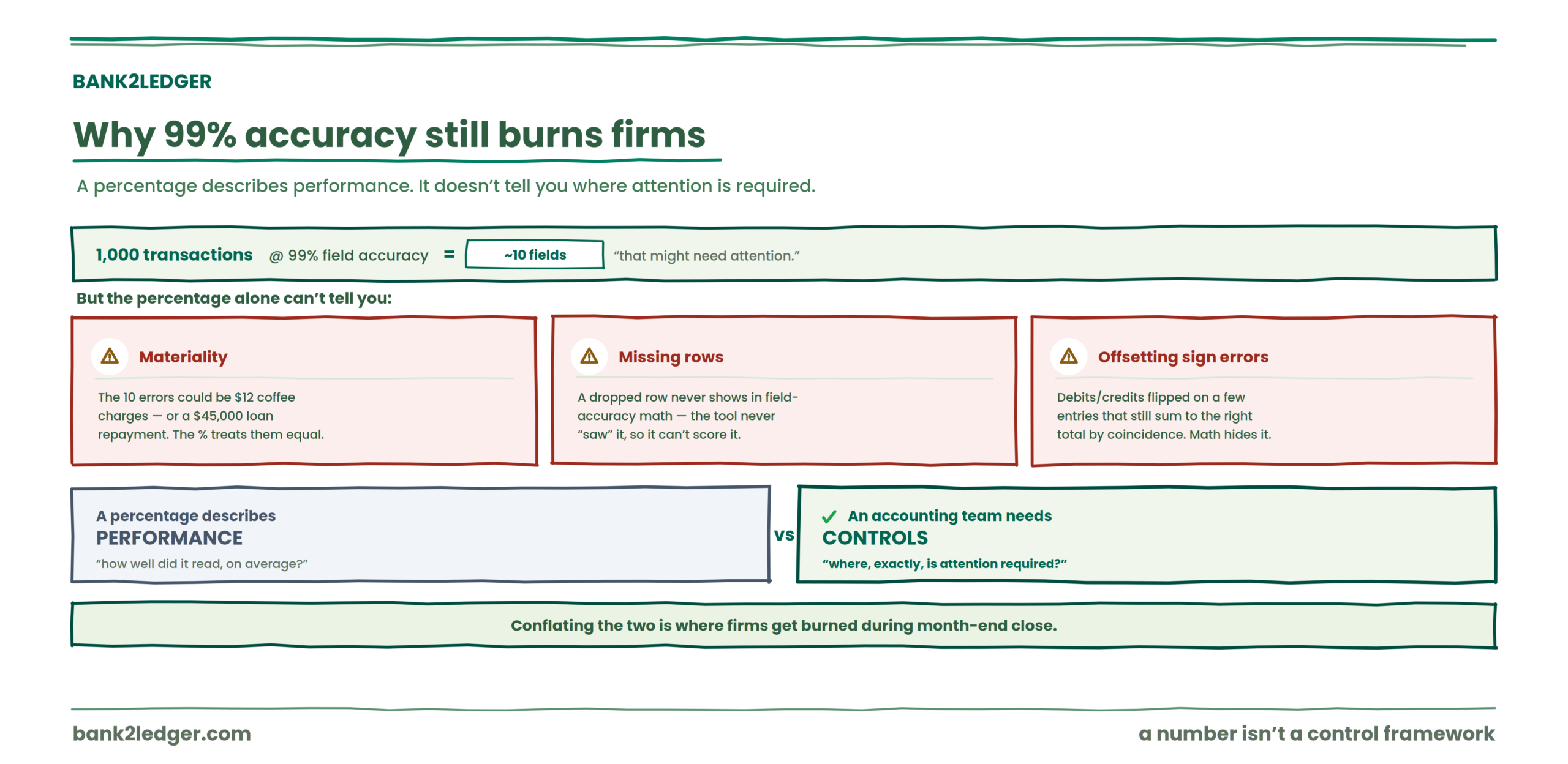
Take 1,000 transactions at 99% field accuracy. That’s roughly 10 fields that might need attention. But the percentage alone doesn’t tell you whether those 10 errors landed on $12 coffee charges or a $45,000 loan repayment. It doesn’t tell you whether a row was missed entirely (which wouldn’t show up in field-accuracy math at all, since the tool never “saw” it). And it doesn’t tell you whether debits and credits were flipped on a handful of entries that still summed to the right total by coincidence.
A percentage describes performance. An accounting team needs controls that identify where attention is required. Those are different things, and conflating them is where firms get burned during month-end close.
The four questions to ask before trusting extracted bank data
Here’s the framework I keep coming back to. Every statement, every client, every time.
→
2 Ties out?
→
3 Structurally correct?
→
4 Workflow-ready?
1. Did every transaction make it through?
A tool can correctly read every transaction it captures while still missing a transaction entirely. Dropped rows from page breaks, missing pages in a scanned PDF, multi-line descriptions that get split and partially discarded, tables that fragment across pages. One template-based OCR study noted that production accuracy on varied inputs often runs 85% to 90% before AI-assisted validation is layered on, and the gap between “trained document types” and “whatever your client’s bank decided to print this month” is exactly where rows disappear.
The spreadsheet looks clean. The row count looks plausible. But the balance won’t tie out, and you won’t know why until someone checks.
Field accuracy does not automatically prove completeness. That’s the first distinction.
2. Does the statement tie out?
This is the arithmetic control that catches what field-level accuracy misses:
If the extracted transactions don’t reproduce the statement’s expected closing balance, something needs investigation. Could be a missing transaction, an incorrect amount, a sign error, an OCR misread on a decimal point, or a dropped page.
A bank-statement processing vendor cited by industry sources emphasizes that extraction accuracy alone is not enough and that automatic reconciliation before export is the quality signal that matters. I agree with the principle, though I’d frame it more carefully.
A tie-out can test whether the extracted transactions are mathematically consistent with the statement, but it cannot determine whether a transaction was assigned to the correct accounting category. A $3,000 payment to a vendor could tie out perfectly while sitting in completely the wrong expense account. The arithmetic passes. The accounting might not.
3. Is the data structurally correct?
A statement can tie out while still carrying structural problems that create havoc downstream.
Consider a $1,500 payment. If the extraction interprets it as money in rather than money out, and another transaction elsewhere has the inverse error, the balance could still land correctly. But your debits and credits are wrong in opposite directions, and the client’s P&L is misstated.
Column drift is a common culprit, especially when banks redesign statement layouts (template drift, as practitioners call it) and extraction rules silently degrade. Misclassified dates, hidden formatting differences, duplicate candidates from re-uploaded files, running balances parsed as transaction amounts. These are structural failures, not OCR failures, and they survive both field-accuracy checks and balance tie-outs.
4. Is the data ready for this client’s accounting workflow?
This is where most extraction-accuracy conversations end. For accounting firms, it’s where the real work starts.
A transaction can be extracted correctly, included in the balance, carry the right amount and the right sign, and still be categorized incorrectly. A payment to “GUSTO” should probably map to Payroll. But for which client? Under which account code? Using which Chart of Accounts?
The answer depends entirely on the client, their COA structure, their accounting conventions, and the rules the firm has established for recurring merchants. A generic categorization engine might guess. A practice needs client-specific rules that persist across months and across team members.
This preparation layer, the step between raw extracted data and accounting-ready output, is part of the broader pre-accounting workflow that sits before anything touches the general ledger.
So the progression looks like this: read correctly ≠ proved complete ≠ structured correctly ≠ categorized correctly ≠ accounting judgment complete. Each stage answers a different question. Passing one doesn’t mean you’ve passed the next.
Accuracy, validation, and accounting judgment are different things
| Stage | What it asks |
|---|---|
| Extraction | Was the information read from the PDF? |
| Validation | Does the extracted data pass the available checks? |
| Categorization | Which account should this transaction use? |
| Review | Does this transaction need human attention? |
| Accounting judgment | Is the treatment appropriate for this client? |
Automation can reduce the preparation work without eliminating professional judgment. That’s a feature, not a limitation. The firms that struggle are the ones expecting extraction to do the job of all five stages.
Accuracy is one stage. You need all five.
Bank2Ledger runs extraction, tie-out checks, client-specific categorization, and exception review in one workflow, so data is proven, not just read, before it reaches the ledger.
What a bank statement tie-out can and cannot tell you
I want to be precise here because this is where I see the most overstatement in vendor marketing.
A tie-out CAN help identify
✓ Missing transaction data
✓ Mathematical inconsistencies
✓ Incorrect amounts
✓ Sign problems that affect balances
It CANNOT automatically determine
✗ Whether an expense is in the correct account
✗ Whether the accounting treatment is appropriate
✗ Whether a payment was authorized or the statement authentic
✗ Whether professional judgment is still required
Audit readiness, as multiple practitioner sources note, is separate from extraction quality; a firm still needs traceability and reviewer logs. Acknowledging those limits isn’t a weakness. It’s what makes the control trustworthy.
Why accounting firms need more than generic extraction accuracy
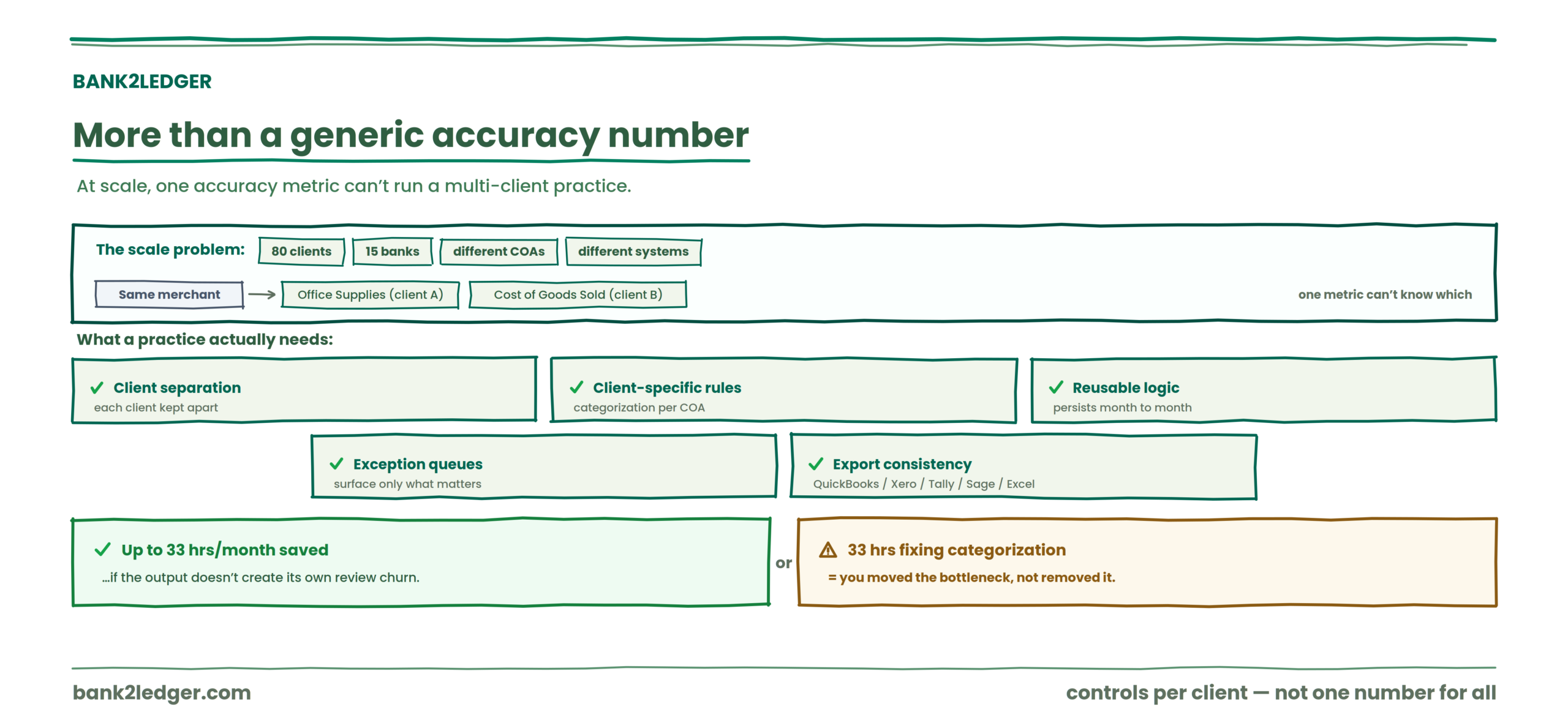
A firm processing statements for 80 clients across 15 banks with different Charts of Accounts, different transaction patterns, and different accounting systems can’t rely on a single accuracy metric. The same merchant description might map to Office Supplies for one client and Cost of Goods Sold for another.
What a practice needs is client separation, client-specific transaction categorization rules, reusable logic that persists month to month, exception queues that surface only what requires attention, and export consistency across QuickBooks, Xero, Tally, Sage, or Excel.
One workflow-oriented source estimates that automated extraction can save accounting teams up to 33 hours per month. But that number only holds if the output doesn’t generate its own review churn. If your team spends those 33 hours fixing categorization errors instead, you’ve moved the bottleneck, not removed it.
What a better bank statement processing workflow looks like
The sequence that actually gets data from PDF to ledger:
→
Extract transactions
→
Check tie-out
→
Apply COA & rules
→
Flag exceptions
→
Export accounting-ready
Each step addresses a different failure mode. Skip the tie-out and you miss dropped rows. Skip client-specific categorization and you get generic guesses that someone has to fix manually. Skip exception review and low-confidence fields slip through unexamined.
The full picture of how these stages connect is covered in the bank statement processing workflow guide.
The goal isn’t perfect automation. It’s controlled automation.
There’s a philosophy split I’ve noticed among firms adopting extraction tools. One camp wants to automate everything and trust the result. The other wants to automate repeatable work, validate what can be validated, and route uncertainty to a human reviewer.
I land firmly in the second camp. The purpose of automation here is not to remove accountants from the process. It’s to remove the hours of repetitive data entry so accountants can focus on exceptions, judgment, complex treatment, and client-specific decisions. Nothing should post unreviewed.
| Symptom | Root cause | The community fix |
|---|---|---|
| Statement imports but reconciliation fails | Opening/closing balance mismatch or missed line item | Re-check totals before export; isolate the statement page causing the mismatch |
| Dates or amounts wrong only on scanned PDFs | Low scan quality, poor contrast, image noise | Rescan at higher resolution or preprocess before OCR |
| Output looks complete but duplicates appear in bookkeeping | Re-uploaded files or weak duplicate controls | Hash file names or store source-file IDs before import |
| Only one bank layout breaks the pipeline | Template drift after a bank redesign | Maintain per-bank templates; revalidate when format changes |
| Review team spends more time than data entry team | Too many low-confidence fields with no prioritization | Route only high-risk fields to review; auto-accept stable fields |
What accounting firms should look for instead of just an accuracy percentage
When you’re evaluating tools, these are the questions that matter more than a headline number:
If a tool can’t answer yes to most of those, a 99% accuracy claim is just a number without a control framework around it.
Extract the data. Check the work. Review the exceptions.
Bank2Ledger helps bookkeepers and accounting firms move from raw bank statement PDFs to clean, categorized, and reviewable ledger data. It combines extraction, tie-out checks, client-specific categorization rules, and human review of exceptions into one pre-accounting workflow.
FAQ
Is 99% bank statement extraction accuracy good enough?
It depends on what the percentage measures. Field accuracy alone may not reveal whether transactions were missed, structurally misinterpreted, or prepared correctly for a specific client’s accounting workflow. An accounting firm needs controls beyond field-level accuracy, including completeness checks, tie-outs, structural validation, and client-specific categorization review.
What is the difference between extraction accuracy and data validation?
Extraction accuracy measures how correctly data was read from the source document. Data validation tests whether the extracted output is internally consistent, mathematically complete, and structurally sound. You can have high extraction accuracy and still fail validation if a row was dropped or a sign was flipped.
Does a bank statement tie-out prove the data is correct?
No. A tie-out can test mathematical consistency between the extracted transactions and the statement’s opening and closing balances. It cannot determine whether transactions were categorized correctly, whether accounting treatment is appropriate, or whether professional judgment has been applied.
Can bank statement extraction errors affect accounting records?
Yes. A misread amount, a dropped transaction, or a flipped debit/credit direction can flow directly into the general ledger if no validation step catches it before export to accounting software. The impact compounds across clients and across months.
Why do accounting firms need transaction review after extraction?
Because extraction, validation, categorization, and accounting judgment are separate stages. A transaction can be read perfectly and still require human review for correct account mapping, unusual treatment, or client-specific coding decisions.
Can bank statement categorization be automated?
Partially. Rule-based systems that remember client-specific mappings and learn from corrections can automate recurring categorization. But new merchants, ambiguous descriptions, and unusual transactions still require human review. The goal is reducing the volume of manual decisions, not eliminating them. A deeper look at how this works is in the guide on client-specific transaction categorization rules.