Last reviewed: 4 November 2026. Examples use Indian rupees for consistency and are hypothetical illustrations, not jurisdiction-specific accounting rules. This article is general guidance, not accounting advice.
An accounting firm receives a client’s bank statement, converts it into a structured file, and imports the transactions into accounting software. The import completes with no error message. Yet some debits have been read as credits, one transaction is missing, and another has been categorised incorrectly. None of that is visible from the import status.
Three points follow from this. Bank statement processing involves more than extracting transaction amounts. Errors can appear during extraction, data interpretation, categorisation, and export preparation. And even small inaccuracies can affect account balances, income and expense reporting, and the reconciliation work that comes after.
A successful conversion is only one stage of reliable bank statement processing. The transaction data still has to be checked before it is used in the client’s books.
On this page
Why Bank Statement Processing Errors Can Affect the Accuracy of Your Client’s Books
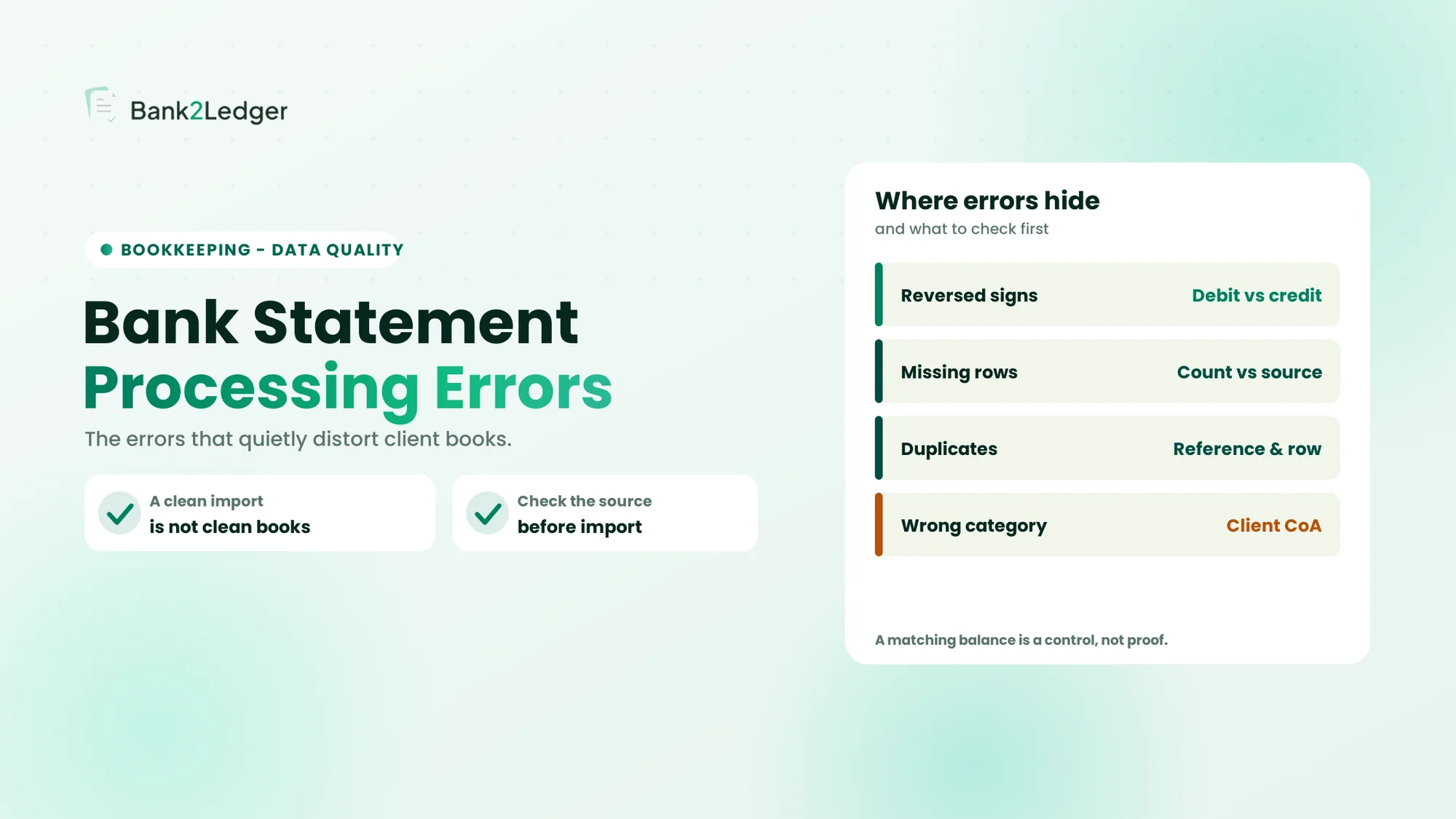
Statement processing and the accounting record are linked at every step, so a problem in the data becomes a problem in the books. Incorrect values change the recorded amount. Reversed debit and credit signs change the apparent direction of money. Missing transactions leave activity incomplete. Duplicates inflate recorded activity. Wrong categorisation distorts expense and income accounts. Incorrect dates affect period-based reporting.
An error can also travel through several stages before anyone notices it. It is introduced at one point and, without the right check, survives into the next:
An error introduced early in this chain can remain in every later stage if the appropriate checks are not performed, which is why the stage an error comes from matters as much as the error itself.
10 Bank Statement Processing Errors That Can Distort Your Client’s Books
Each error below follows the same shape: what it is, why it happens, a short example, how it affects the books, and what to verify.
1. Reversed debit and credit signs
Transaction direction gets misread when a statement is converted into a spreadsheet or accounting-ready format. Some statements present debits and credits in separate columns; others use a single amount column with a sign. Different banks use different layouts and conventions, so the exported file’s sign convention matters. Example: a statement shows a ₹12,500 withdrawal, and processing exports it as a positive credit instead of a debit. The entry now looks like a receipt rather than a payment, the expense is understated, and the ledger bank balance is overstated. Read the bank-statement view (debit means money out) separately from the ledger view, because they are not the same perspective. For the same problem on card statements, see reversed signs and double-counted payments in credit card conversion.
What to verify: the original debit or withdrawal column, the credit or deposit column, the exported sign convention, and the transaction direction after import.
2. Missing transactions during data extraction
Rows get skipped when extracting from PDF statements: multi-page documents, page breaks and repeated headers, scanned or low-quality pages, unusual table layouts, rows near a page boundary, and lines an OCR engine cannot read reliably. Example: a statement contains 145 transaction rows, but the extracted file contains 143. The two missing rows need investigation even if the file looks structurally complete, because incomplete activity means potentially wrong income or expense totals and unexplained differences during reconciliation. A balance check may catch some omissions, but it does not prove every transaction was captured: two omitted entries that offset each other still leave the balance correct.
What to verify: the transaction count, the first and last transaction dates, each statement page, the opening and closing balances, and any individual entries where the data is uncertain.
3. Duplicate transactions in the exported data
A transaction can appear more than once from overlapping pages, repeated extraction of the same statement, duplicate uploads, repeated rows, or reprocessing already-exported data. Example: a ₹8,500 payment appears twice though the statement contains only one, showing ₹17,000 of activity where ₹8,500 occurred and inflating expenses or the balance. Matching on amount alone is not enough, since two genuine transactions can share the same amount and date, and not every duplicate can be caught by a simple matching rule. A newly activated feed overlapping a converted statement is a common source, which is part of the bank feeds versus statement conversion trade-off.
What to verify: the date, amount, transaction description, reference number, the original statement row, and whether the same statement has been processed before.
4. Incorrect transaction dates and date formats
Dates get misread or transformed: DD/MM/YYYY versus MM/DD/YYYY, a bad conversion, posting date versus value date, statements that show dates without a year, and transactions near month-end or year-end. Example: a statement date of 04/05/2026 is read as 5 April rather than 4 May because the processing system assumes a different convention. The transaction lands in the wrong accounting period, which distorts monthly reporting and period-based accounts.
What to verify: the bank statement’s date format, the export date format, the posting-date and value-date labels, the reporting period, and transactions close to month-end.
5. Incorrect transaction amounts and decimal placement
Amounts get captured wrong during extraction: OCR character errors, decimal separators, thousands separators, misread digits, amounts split across columns, and currency symbols. Example: a transaction of ₹15,600 is extracted as ₹1,560 because a digit is missed. The recorded amount is now wrong and will surface as a difference during review. This is not only a concern for large transactions; a small entry misread by a factor of ten distorts the account just the same.
What to verify: the source amount against the extracted amount, decimal placement, currency formatting, and any unusually large or small entries, not only high-value ones.
6. Opening and closing balance mismatches
Balance checks can reveal processing problems. The simplified relationship is opening balance + credits − debits = closing balance, though bank-specific conventions and balance definitions should be confirmed. A mismatch can come from an incorrect opening balance, missing rows, wrong values, reversed signs, transactions outside the selected period, or bank adjustments and fees. Example: the statement’s opening and closing balances do not reconcile with the exported transactions. Investigate the difference against the source rather than inserting an unexplained adjustment. A matching balance is a useful control, not proof of complete transaction accuracy.
What to verify: the opening balance, the closing balance, total debits, total credits, the statement period, and individual transaction entries.
7. Incorrect transaction categorisation
Correctly extracted data can still land in the wrong account. Generic merchant-based rules, similar descriptions with different purposes, client-specific Charts of Accounts, recurring-transaction rules, mixed personal and business activity, and expense-versus-asset decisions all contribute. Example: a payment to an electronics retailer is auto-categorised as office supplies, but it was for equipment that may need a different accounting assessment. A merchant name alone rarely settles the accounting treatment, so predictable patterns can be ruled while exceptions are routed to review, the way an unusual transaction is flagged rather than forced into a category.
What to verify: the transaction purpose, the supporting invoice or receipt, the client’s Chart of Accounts, existing accounting instructions, and the applicable accounting policy.
8. Bank charges, interest, and adjustments being overlooked
Small or less frequent entries get missed: monthly maintenance charges, payment-processing fees, transfer charges, interest credited or debited, reversals, and bank adjustments. Example: a ₹500 monthly maintenance fee is overlooked during processing. One omission is minor, but repeated omissions leave expenses incomplete over time and understate costs across periods. Not every fee has the same tax or accounting treatment, so each type is worth confirming rather than lumping together.
What to verify: small-value entries, bank-generated transaction descriptions, recurring fees, interest entries, and adjustments and reversals.
9. Bank transfers misclassified as income or expenses
Transfers between a business’s own accounts can be treated as operating income and expense. Transfers between current and savings accounts, across different banks, timing differences between the two sides, a missing counterpart statement, and transfer fees all play in. Example: a company moves ₹25,000 from its current account to its savings account; the outgoing amount is classified as an expense and the incoming amount as income. Net profit is unchanged, but revenue and expenses are each overstated by ₹25,000, which distorts the income statement. Because statement processing usually handles one account at a time, the two sides are not automatically connected, and internal transfers belong in a transfer or clearing account. Do not assume every transfer is internal: the ownership and purpose of the accounts matter.
What to verify: the sending account, the receiving account, the transaction date, the amount, the transfer reference, and the supporting records.
10. Foreign-currency transactions and exchange-rate inconsistencies
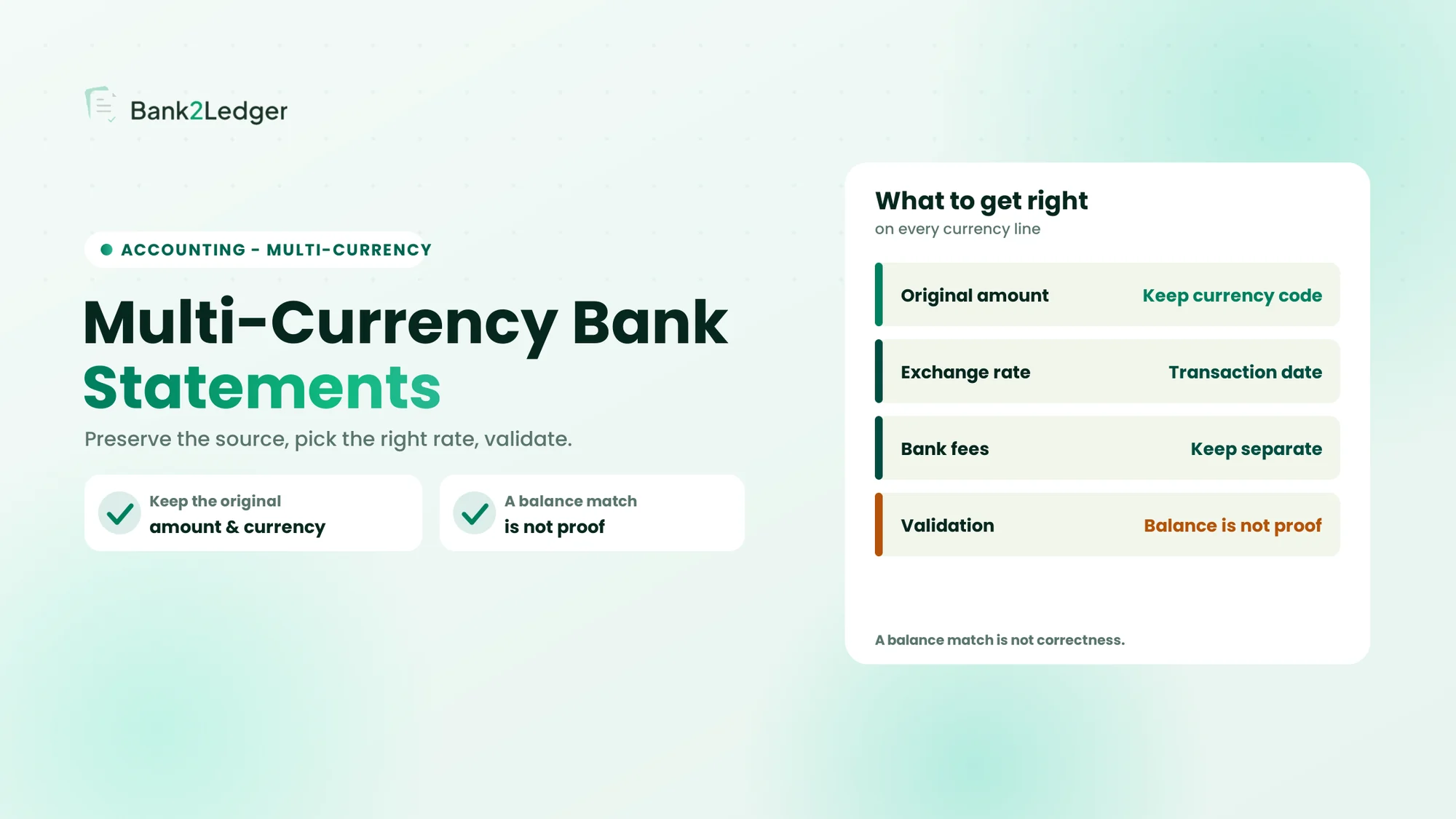
Foreign-currency transactions get misrepresented when the original currency context is lost. The original transaction currency, the bank-account currency, the functional currency, exchange-rate information, bank conversion charges, transaction date versus settlement date, and realised or unrealised differences all matter. Example: a business makes a USD payment, but the exported data keeps only the INR equivalent and loses the original USD amount, so any later revaluation or audit lacks the source data to verify the rate. Preserve the original currency and amount alongside the converted figure, and set the accounting rate by the client’s policy and the applicable framework (IAS 21 for IFRS, Ind AS 21 or AS 11 for Indian GAAP, or the relevant local standard). The bank’s conversion rate is not automatically the accounting rate.
What to verify: the original transaction amount, the currency code, the account currency, the exchange-rate information available from the source, separately identified bank charges, and the applicable accounting policy.
A Quick Comparison of Common Processing Errors and Their Accounting Impact
The table summarizes the ten errors, what each one does to the books, and the main check that catches it.
| Processing error | What can go wrong in the books | Main verification |
|---|---|---|
| Reversed signs | Incorrect transaction direction | Check debit and credit columns |
| Missing entries | Incomplete account activity | Compare source rows |
| Duplicates | Inflated recorded activity | Check references and statement rows |
| Incorrect dates | Wrong reporting period | Validate date format |
| Wrong amounts | Incorrect transaction value | Compare source values |
| Balance mismatch | Unexplained difference | Recalculate statement movement |
| Wrong categorisation | Misstated account classification | Check client CoA and purpose |
| Missed charges | Incomplete bank expenses | Review bank-generated entries |
| Misclassified transfers | Inflated income or expenses | Check both accounts |
| FX inconsistencies | Incorrect currency representation | Preserve original currency context |
The financial impact of any one error depends on the transaction, its accounting treatment, and whether it is corrected before reporting. A reversed sign on a large payment distorts the books far more than a missed low-value fee, but both are worth catching.
Extraction Errors, Processing Errors, and Accounting Errors Are Not the Same
Errors originate at different stages, and the stage decides the fix. Grouping them together produces one-dimensional reviews that miss whole categories of distortion.
| Error type | Meaning | Example |
|---|---|---|
| Extraction error | Source information is captured incorrectly | ₹5,000 captured as ₹500 |
| Processing error | Extracted information is transformed incorrectly | A debit converted into a credit |
| Categorisation error | A transaction is assigned to the wrong account | A subscription classified as office supplies |
| Accounting error | The underlying transaction gets the wrong treatment | An asset purchase treated as an ordinary expense without assessment |
| Reconciliation discrepancy | Statement and ledger records do not agree | A transaction in the statement but not in the ledger |
Matching the correction to the stage is what makes the fix stick. Correcting a categorisation rule will not recover a missing transaction, and rerunning extraction will not resolve an incorrect accounting treatment. Identifying where the problem started is the first step in fixing it.
A Practical Review Process to Catch Errors Before They Reach the Books
A consistent review sequence catches most of these errors before import, without relying on any one person’s habits.
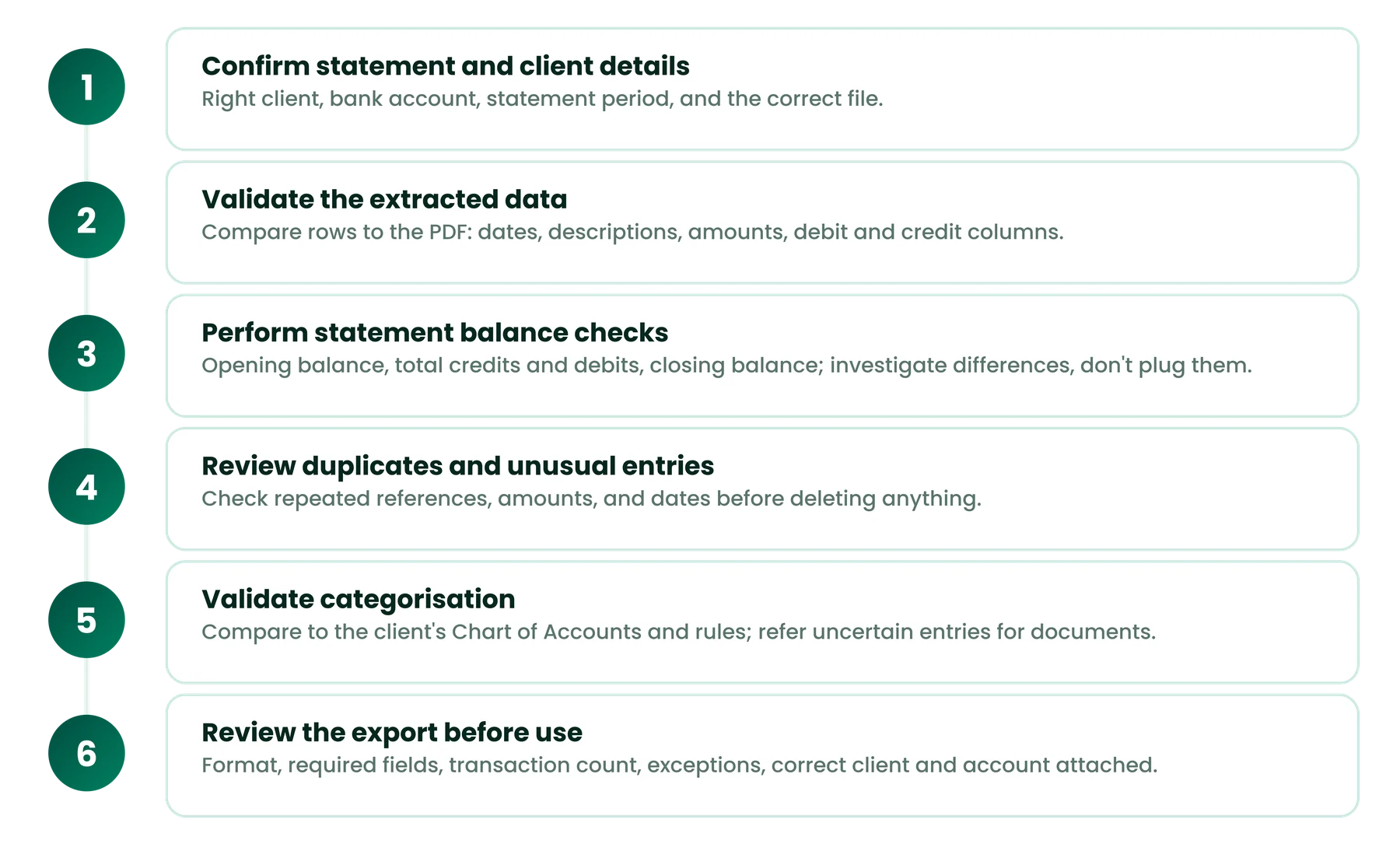
Step 1: Confirm the statement and client details
Verify the client identity, confirm the correct bank account, check the statement period, and make sure the correct file is being processed. A standard bank statement intake checklist keeps this consistent across the team.
Step 2: Validate the extracted transaction data
Compare the transaction rows against the original PDF, check dates, descriptions, and amounts, review separate debit and credit columns, and inspect scanned pages and any unclear entries.
Step 3: Perform statement balance checks
Confirm the opening balance, calculate total credits and debits, verify the closing balance, and investigate any unexplained difference against the source rather than plugging it.
Step 4: Review duplicates and unusual entries
Look for repeated transaction references, check repeated amounts and dates, investigate unusual values, and review missing or unclear descriptions before deleting anything.
Step 5: Validate transaction categorisation
Compare categories with the client’s Chart of Accounts, check recurring-transaction rules, review unclear merchant descriptions, and refer uncertain entries for supporting documents.
Step 6: Review the export before accounting use
Confirm the file format and required fields, verify the transaction count, review exceptions, make sure the correct client and account are attached to the export, and keep a record of unresolved issues. The checks before importing converted data apply here too. This processing review is distinct from final accounting approval and reconciliation, which remain separate controls.
Why a Successful Bank Statement Import Is Not Proof of Accurate Books
A file being accepted by accounting software, the transactions being represented correctly, the transactions being categorised appropriately, the entries being reviewed, and the balances being reconciled are five different things. A technically valid file can still carry an incorrect value or classification.
Consider a file that imports cleanly while one debit has been read as a credit. The format was valid, the data loaded, and no error appeared, yet a payment now sits in the books as a receipt. Import validation confirms technical compatibility; accounting validation confirms that the numbers and classifications are right. They serve different purposes, and only the second protects the client’s books.
How Bank2Ledger Supports More Structured Bank Statement Processing
Bank2Ledger works at the pre-accounting stage of the workflow above. Its verified capabilities extract transactions from statement PDFs, check the opening and closing balance relationship, apply client-specific Charts of Accounts and categorisation rules, flag entries that need a closer look, and produce structured, accounting-oriented exports.
Those capabilities map onto the errors in this article: a balance check helps surface the inconsistencies behind a mismatch, and a low-confidence review queue directs attention to the entries most likely to be wrong. What the tool does not do is replace professional review. Unclear transactions, the accounting treatment of an item, and final approval still need a person, and no tool automatically resolves all ten errors on its own.
Give your review a cleaner starting point
Bank2Ledger extracts, balance-checks, and categorises bank statements per client, and flags the entries that need attention, so your team reviews prepared data instead of raw conversions. The accounting judgment stays with you.
Frequently Asked Questions About Bank Statement Processing Errors
What are the most common bank statement processing errors?
The ones that recur most are reversed debit and credit signs, missing transactions, duplicates, incorrect dates, inaccurate amounts, and wrong categorisation. Each originates at a different stage of the workflow, so they call for different checks rather than a single catch-all review.
Can a bank statement be imported successfully but still contain errors?
Yes. A successful import confirms the file format was accepted and the data loaded, not that every transaction amount is right, that no rows are missing, that debit and credit directions are correct, or that the categories match the client’s Chart of Accounts. Import success is a technical event, not an accuracy guarantee.
How can accountants identify missing bank transactions?
Compare the transaction count in the extracted file against the count on the original statement, and check page by page and against the opening and closing balances. No single check proves completeness, because two omitted entries that offset each other can leave the balance correct while rows are still missing.
Why do opening and closing bank balances not match?
A mismatch can come from missing entries, incorrect amounts, reversed signs, transactions outside the selected statement period, or bank adjustments. Investigate the difference against the source statement rather than posting an unexplained adjustment, since a plug entry hides the real cause instead of fixing it.
What happens when debit and credit entries are reversed?
The apparent direction of the money flips, so a payment can be recorded as a receipt. That understates expenses and overstates the bank balance in the ledger. The fix is to check the original statement’s debit and credit columns and the exported sign convention, then correct the direction before import.
How can bookkeeping firms reduce bank statement processing errors?
Use a consistent processing workflow, validate the extracted data against the source document, run transaction-level and balance checks, apply client-specific categorisation rules with a review queue for exceptions, and keep professional review for anything unclear. Consistency and source comparison catch far more than any single rule.
Conclusion: Accurate Books Start With Accurate Transaction Data
Processing errors can start at several points in the workflow, and a successful conversion or import does not establish accounting accuracy on its own. Comparing against the source statement, validating balances, reviewing categorisation, and applying professional judgment are what protect the integrity of a client’s records. Bank2Ledger’s role is to prepare structured bank statement data, with balance checks and flagged exceptions, so that review and accounting work start from a cleaner base.