You pull up a bank statement PDF, and there it is: “AWS EMEA” sitting on line 14. You know exactly who that merchant is. Your extraction was clean, your bank statement extraction accuracy was confirmed, the balances tie. And none of that tells you which account the transaction belongs in.
For one client, that AWS charge hits 6350, Software Subscriptions. For another, it’s 6205, Technology Expenses. A third client splits cloud hosting into its own sub-account under IT Infrastructure. The merchant didn’t change. The accounting treatment did, because the client’s Chart of Accounts, business context, and bookkeeping conventions are what determine the destination.
That gap between recognizing a merchant and knowing where a transaction belongs is exactly where most categorization workflows break. And it gets worse when you’re processing statements for twenty or forty clients, each with a different CoA, different naming conventions, and different policies for the same vendors.
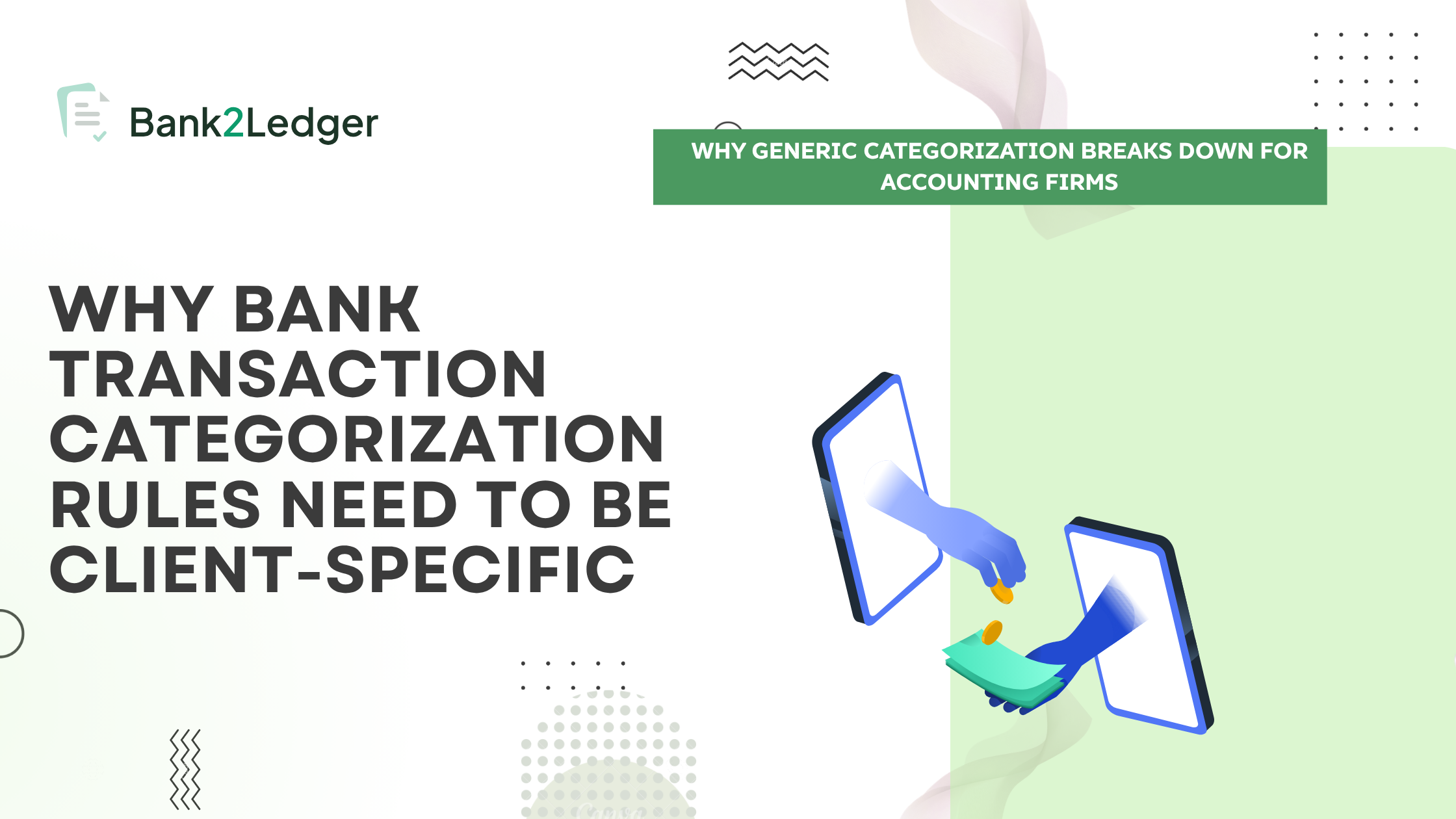
Why should bank transaction categorization rules be client-specific?
Because the same merchant or transaction type can map to different accounts depending on a client’s Chart of Accounts, business context, and bookkeeping conventions. Client-specific rules keep automated categorization aligned with the accounts the client actually uses.
By the end of this piece, you’ll understand the five layers that sit between a raw bank transaction and a correctly posted entry, and you’ll have a clear framework for deciding where automation helps and where it creates problems.
Why merchant recognition isn’t the same as accounting categorization
This distinction is the conceptual heart of everything that follows. If you’re managing bank statement processing across multiple clients, collapsing these two steps into one is where errors start.
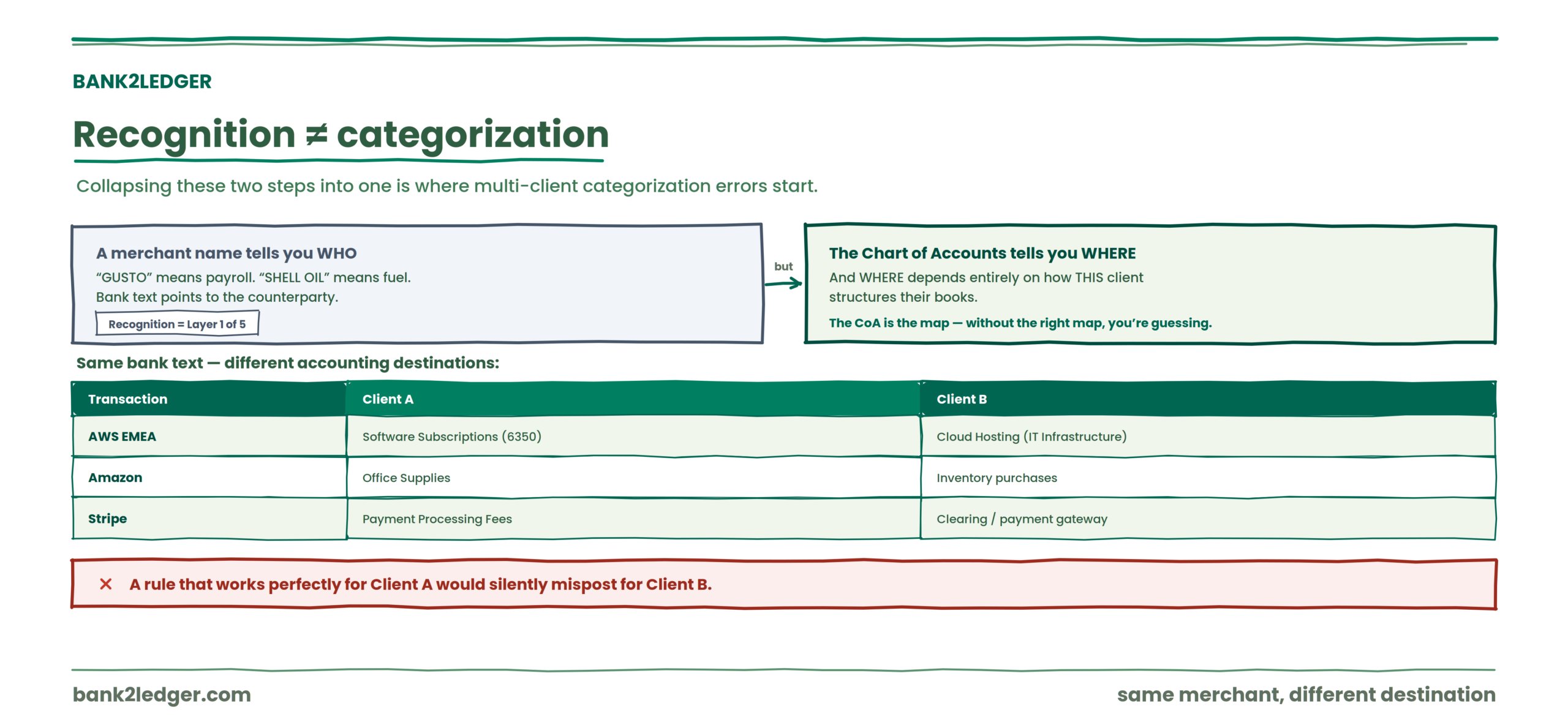
A merchant name tells you who received the money
Statement descriptions give you clues. “GUSTO” probably means payroll. “SHELL OIL” probably means fuel. Bank text, merchant labels, and processor descriptors all point toward the counterparty. That’s recognition. Layer 1 of five.
The Chart of Accounts tells you where it belongs
Recognition answers “who.” The CoA answers “where.” And “where” depends entirely on how this particular client structures their books. A client with a single “Software” account handles AWS differently from a client who separates cloud hosting, SaaS subscriptions, and development tools into three accounts. The CoA is the map. Without loading the right map, you’re guessing.
The same merchant can mean different things for different clients
This is where generic categorization falls apart. Consider these illustrative examples (not universal accounting treatments):
| Transaction | Client A | Client B |
|---|---|---|
| AWS EMEA | Software Subscriptions (6350) | Cloud Hosting (IT Infrastructure) |
| Amazon | Office Supplies | Inventory purchases |
| Stripe | Payment Processing Fees | Clearing / payment gateway account |
Same bank text. Different accounting destinations. A rule that works perfectly for Client A would silently mispost for Client B.
Why generic categorization breaks down for accounting firms
Generic categories aren’t wrong. They’re just too broad for professional bookkeeping.
Generic categories are broader than a client’s CoA
“Software” is a perfectly reasonable bucket for personal finance tracking. But your client might have four software-related accounts: SaaS subscriptions, development tools, internal-use licenses, and client-facing platform costs. A generic category collapses all four into one. That’s not categorization. That’s a rounding error with a label on it.
Different clients use different account codes and naming conventions
One client calls it “6200 Payroll Expenses.” Another uses “5100 Salaries and Wages.” A third has “Staff Costs” with no numeric prefix at all. Preserving the client’s actual account codes, names, and account types isn’t a nice-to-have. It’s what makes the export usable when you move from bank statement to posted books.
One firm’s bookkeeping convention isn’t necessarily another’s
I want to be careful here because this is where a lot of categorization guides overreach. There is no single correct mapping for every transaction. Two competent bookkeepers can look at the same Amazon charge and reach different, defensible conclusions depending on the client’s industry, tax treatment, and internal policy. Accounting judgment still matters. Rules should encode the firm’s decided treatment for a given client, not replace the decision itself.
The five-layer framework
Most categorization guides stop at “match the merchant to a category.” That’s one layer out of five. Here’s the full sequence:
Skip any layer and you get either manual rework or silent miscoding. Both cost time. One of them also costs accuracy.
What client-specific bank transaction categorization rules look like
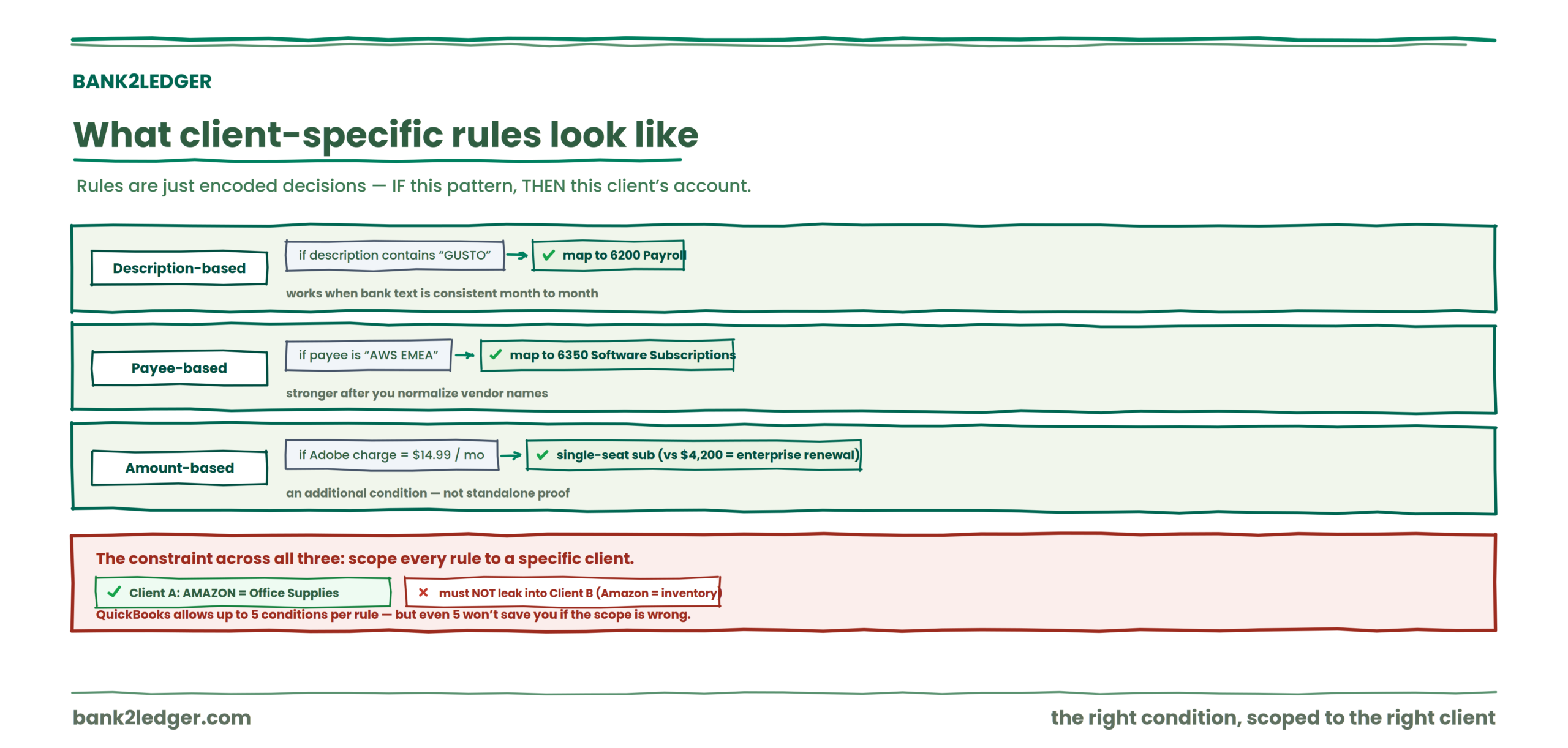
Rules are just encoded decisions. A description-based rule might say: if the statement description contains “GUSTO,” map to 6200 Payroll. A payee-based rule might say: if the payee is “AWS EMEA,” map to 6350 Software Subscriptions.
Description-based rules work well when the bank text is consistent month to month. Payee-based rules are stronger when you’ve normalized vendor names, because the same supplier can appear under multiple descriptors across different banks and card processors. That vendor normalization step is where a lot of firms skip ahead and then wonder why rules keep misfiring.
Amount-based conditions add precision. A $14.99 monthly charge from Adobe is probably a single-seat subscription. A $4,200 charge from the same vendor might be an enterprise license renewal that belongs in a different account or needs manager review. Amount ranges are useful as additional conditions, not as standalone proof of accounting treatment.
The important constraint across all three: each rule needs to be scoped to a specific client. A rule that maps “AMAZON” to Office Supplies for Client A should not leak into Client B’s workspace where Amazon purchases are inventory. QuickBooks documents that a single rule can use up to five conditions, but even five conditions won’t save you if the rule scope is wrong.
A better categorization workflow
Here’s the sequence that actually scales for firms processing multiple clients:
→
Client-specific rules
→
Transaction matching
→
Suggested account
→
Human review
→
Correction
→
Reusable rule
→
Future statements
That loop is where the real efficiency lives. Not in the first pass. In the tenth.
The first month with a new client is heavy on review. You’re building the rule set from scratch, using prior statements and onboarding history to seed rules for recurring activity. One automation-focused analysis reports that automated categorization can handle 70 to 85 percent of transactions correctly on the first pass, according to workflow benchmarking published by Auvoria. That still leaves 15 to 30 percent for human review. And that remainder often contains the transactions that matter most: unusual amounts, ambiguous descriptions, split-treatment items.
By month three or four, recurring vendors are handled. Known patterns auto-match. Staff attention shifts to exceptions. That’s the goal: high first-pass accuracy, with humans touching only what requires judgment.
Corrections should feed back into rules
If a bookkeeper corrects the same type of transaction three months in a row, that correction shouldn’t stay a one-time manual fix. It should become a rule. Otherwise you’re paying for the same decision repeatedly.
This feedback loop, correction becoming a reusable rule, is what separates a categorization system that improves from one that just repeats the same suggestions and the same mistakes.
Exceptions still need judgment, though. I’d push back on anyone promising full automation. Unfamiliar vendors, unusual amounts, transactions with multiple possible treatments, new clients: these require a human in the loop. The same Auvoria analysis cites a 4 to 7 percent transaction error rate at firms without automation rules, attributed to AICPA PCPS firm survey commentary. Automation reduces that rate on repeatable items. It doesn’t eliminate the need for review on ambiguous ones.
Turn every correction into a rule that works next month
Bank2Ledger imports each client’s Chart of Accounts, applies rules scoped to that client, and turns your corrections into reusable logic, so first-pass accuracy climbs month over month.
Where practitioners disagree
There’s a live debate about rule precedence: should client-specific overrides always win over a firm’s shared rule library, or should the shared library serve as a baseline that client rules modify? Some firms maintain a global rule set and override at the client level. Others keep every rule isolated per client and accept the duplication. I lean toward client-specific overrides winning on precedence, because the cost of a global rule silently miscoding one client is higher than the cost of maintaining a few redundant rules. But this isn’t settled, and the right answer probably depends on how many clients share genuinely identical accounting treatments.
The ghost errors nobody warns you about
| Problem | The weird fix |
|---|---|
| Vendor keeps posting to the wrong expense account across clients | Create client-level overrides instead of editing the global rule. Zoho Books and QuickBooks both support scoping rules to specific companies or bank accounts. |
| Rules work for one client but fail for another | Rebuild rules per company and bind them to the correct bank account. A loose scope is usually the cause. |
| Transactions partially match and auto-post incorrectly | Add conditions. Description-contains logic alone is too blunt for multi-client work. Layer in amount, transaction type, or exact text. |
| Staff spends more time undoing automation than doing manual entry | Disable auto-post until the rule set is stable. Low-confidence rules set to auto-post too early create more review churn, not less. |
That last row is the one I see most often. Firms turn on automation before the rules are mature, and the result is hidden rework. Bad matches must be untangled later rather than prevented upfront.
Client-specific rules vs generic categories
| Generic categorization | Client-specific categorization |
|---|---|
| Broad category | Client’s actual CoA account |
| Merchant-focused | Accounting-context focused |
| Same category across users | Rules differ by client |
| Limited accounting context | Uses client accounting structure |
| Manual correction may repeat | Corrections can become reusable rules |
This is a conceptual comparison. Some generic systems offer more flexibility than this table implies. The point is directional: professional bookkeeping demands the right column.
What this means for firms
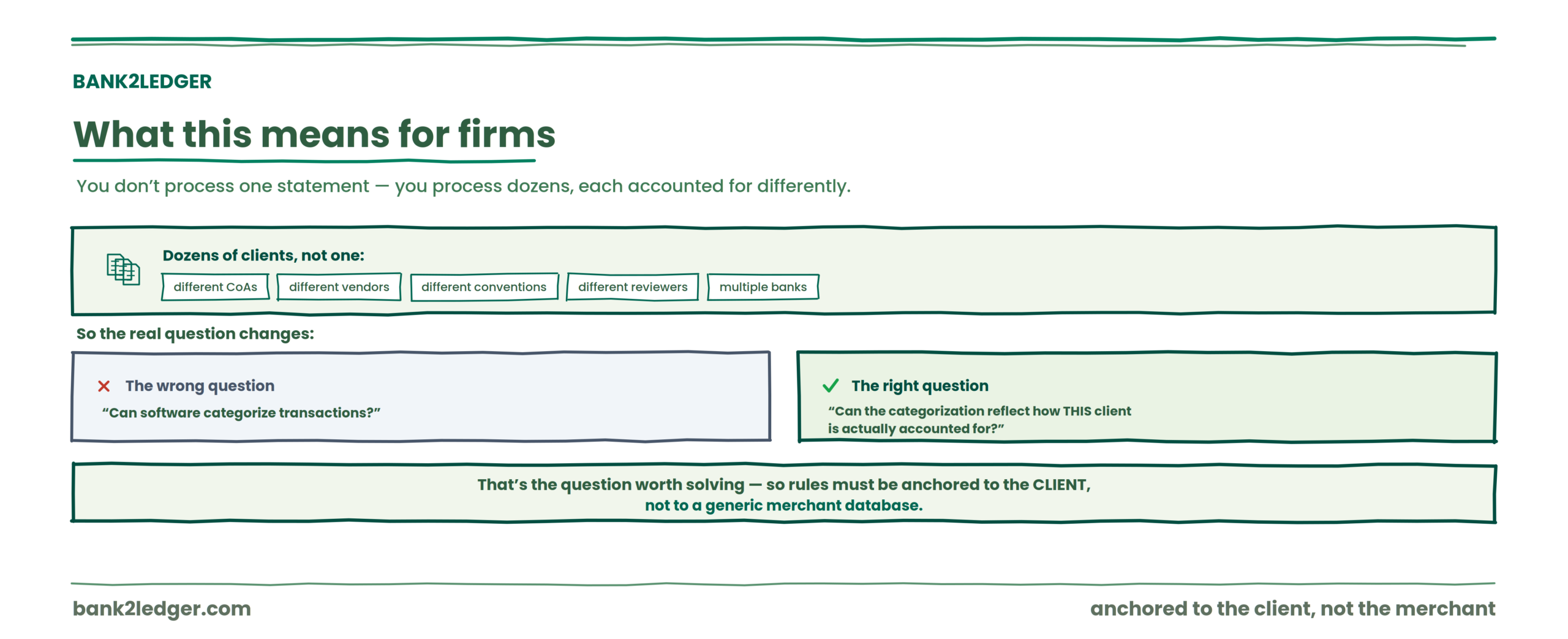
You don’t process one client’s bank statement. You process dozens, across multiple banks, with different CoAs, different recurring vendors, different accounting conventions, and different reviewers. The real question isn’t “can software categorize transactions?” It’s “can the categorization reflect how this particular client is actually accounted for?”
That’s the question worth solving. And it’s the reason bank transaction categorization rules need to be anchored to the client, not to a generic merchant database.
How Bank2Ledger applies client-specific categorization rules
Bank2Ledger is built for the preparation work between a raw bank statement and accounting-ready ledger data, with the client, not a generic merchant database, at the center. In practice that means:
The design goal is the one this whole piece argues for: automation that reflects how each client is actually accounted for, with a human retaining the judgment calls.
Turn your client’s bank statement into a categorized ledger
Bank2Ledger imports your client’s Chart of Accounts, applies client-specific rules based on description, payee, and amount range, holds low-confidence lines for review, and turns corrections into reusable rules. It sits before your accounting software, not instead of it.
FAQ
What is bank transaction categorization?
Bank transaction categorization is the process of assigning each transaction from a bank statement to an accounting category or account. For professional bookkeeping, this means mapping transactions to specific accounts in a client’s Chart of Accounts rather than placing them into broad, generic buckets. The goal is producing ledger entries that reflect the client’s actual accounting structure.
Why should bank transaction categorization rules be client-specific?
Because the same merchant or transaction type can map to different accounts depending on a client’s Chart of Accounts, business context, and bookkeeping conventions. A rule that maps a vendor correctly for one client can silently mispost the same vendor for another. Client-specific rules keep automated categorization aligned with the accounts each client actually uses.
Can the same bank transaction be categorized differently for different clients?
Yes. A payment to Amazon might be Office Supplies for a consulting firm and Inventory for a retailer. The merchant is identical, but the accounting treatment depends on what the client purchased, how their CoA is structured, and what their bookkeeping policy dictates. That’s why rules need client scope.
How do transaction categorization rules work with a Chart of Accounts?
A rule connects a transaction pattern (a description, payee, or amount range) to a specific account in the client’s CoA. When a new statement is processed, the system matches incoming transactions against those rules and suggests the mapped account. The CoA provides the destination. The rule provides the routing logic.
Should accounting firms use generic transaction categories?
Generic categories can be useful for broad classification or initial triage. But they rarely match a client’s actual account structure closely enough for bank statement reconciliation and posting. Firms that need ledger-ready output typically need rules that map to the client’s specific accounts, codes, and naming conventions.
Can transaction categorization be automated?
Recurring, well-defined transactions can often be handled with rules. Automation works best on high-volume, predictable items like monthly subscriptions, regular payroll, and consistent vendor payments. Ambiguous transactions, unusual amounts, and new vendors should remain available for human review.
Does automated transaction categorization still require human review?
It should. Automated categorization reduces repetitive work on known patterns, but exceptions, ambiguous descriptions, and transactions with multiple possible treatments still need professional judgment. The strongest workflows use automation for repetition and reserve human attention for decisions that require context.
Final takeaway
Recognizing a transaction is not the same as accounting for it. Merchant recognition answers “who received the money.” Categorization answers “which of this client’s accounts it belongs in,” and that answer depends on the client’s Chart of Accounts, rules, and accounting context, not on a generic merchant database.
For professional bookkeeping, categorization needs to reflect the specific client, with exceptions remaining subject to human review. Automation earns its place on the repeatable items; judgment stays with the accountant on the ambiguous ones. That’s the balance client-specific rules are built to strike, and it’s the preparation layer Bank2Ledger handles before the data ever reaches your accounting system.ks
The next problem you’ll hit after getting categorization right is making sure the export format actually matches what your accounting software expects. That’s a different headache, and if you’re working with PDFs, it starts with how you convert bank statement PDFs into accounting software.