Three weeks into a bank statement processing pilot, the firm had automated categorization running on twelve clients. Eight were working well. Four were producing more exceptions than the team had been handling manually.
The problem wasn’t the software. The problem was that those four clients had inconsistent chart of accounts structures, and nobody had cleaned them up before flipping the switch. The automation was doing exactly what it was told. It was just being told the wrong things, faster.
That experience captures something most “tasks to automate” articles skip entirely. The question isn’t really “what can you automate?” You can automate almost anything, poorly. The useful question is which bookkeeping tasks are actually ready for automation at your firm, right now, given how your workflows actually run.
By the end of this piece, you’ll have a framework for making that call yourself, task by task, without guessing.
Who this is for (and who should stop here)
If you’re running a multi-client bookkeeping practice, managing a CAS team, or overseeing accounting operations and you’re trying to figure out where automation will actually stick, keep reading.
If you’re a solo freelancer processing ten transactions a month, the overhead of evaluating automation readiness probably isn’t worth it yet. And if you’re looking for a product comparison of bookkeeping tools, that’s a different article.
What makes a bookkeeping task ready for automation
The best bookkeeping tasks to automate first are repetitive, rule-based, high-volume tasks with clear inputs and measurable outputs.
That sentence does a lot of heavy lifting, so let me unpack it. Every one of those characteristics matters independently, and a task missing two or three of them is a weaker candidate than it looks on paper.
| Characteristic | Why it matters |
|---|---|
| High frequency | More repetitions means more cumulative time recovered |
| Repetitive process | The same sequence runs the same way each time |
| Clear rules | Software can apply consistent logic without guessing |
| Structured inputs | Predictable data formats reduce extraction failures |
| Defined output | You can tell whether the result is correct |
| Low judgment requirement | Less risk of silently replacing professional decisions |
| Measurable exceptions | Unusual cases can be identified and routed for review |
One distinction worth drawing early: task automation and workflow automation are different things. Task automation handles a single repetitive activity, like extracting transaction rows from a PDF. Workflow automation connects multiple steps into a sequence, something like receive, process, validate, review, approve, export. Most firms need both, but they fail when they try to build the workflow layer before the individual tasks underneath it are stable.
The automation readiness test
Before automating any bookkeeping task, run it through six questions. This isn’t a scoring rubric. It’s a filter.
A task that scores well on all six is your first automation target. A task that fails on rule clarity or has a high exception rate needs standardization work before you touch it.
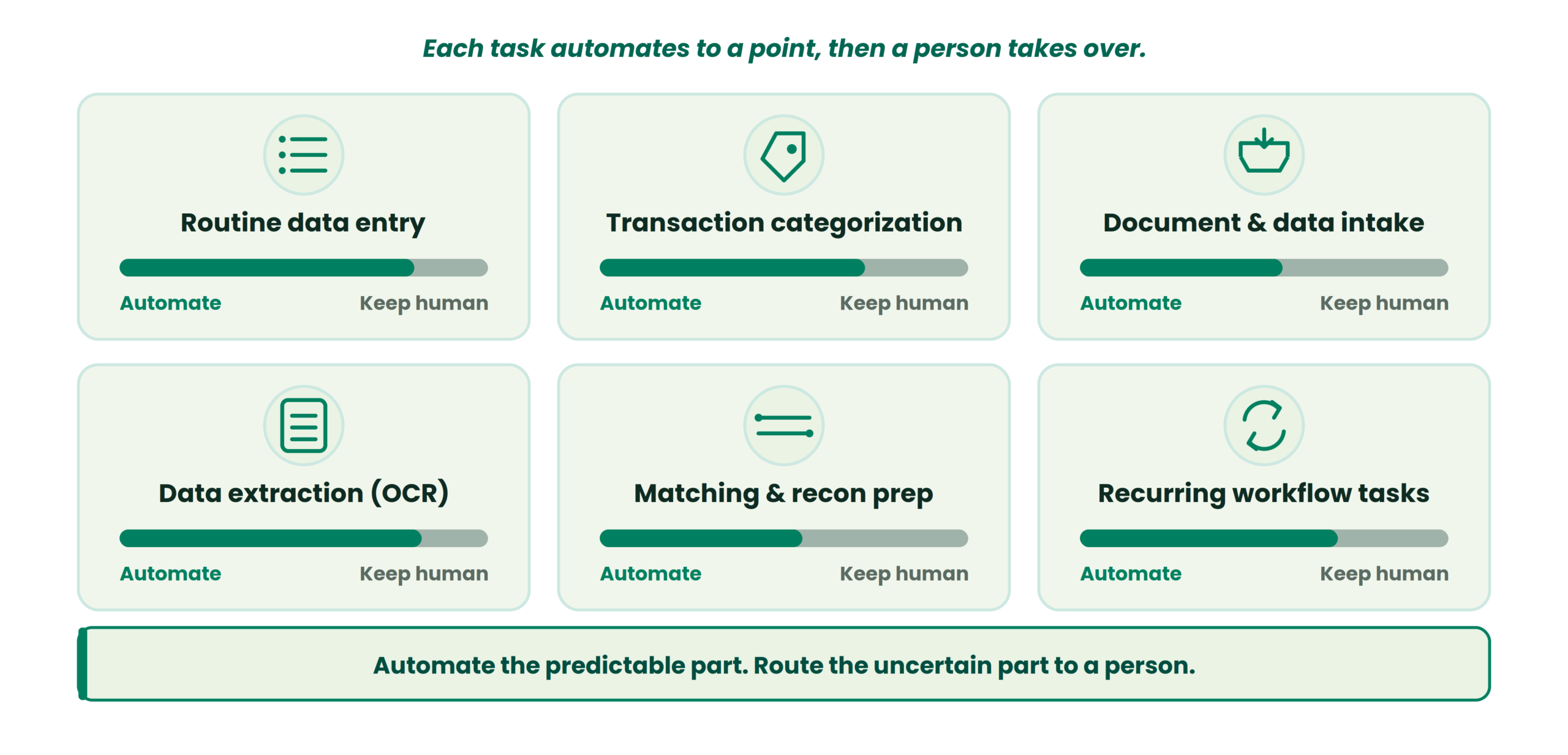
Which tasks to automate first, and how far
Routine data entry
This is the most straightforward category. Moving transaction data from source documents into accounting workflows is repetitive transcription, and it’s where most firms feel the pain first.
Automating data entry does not mean eliminating validation, though. The workflow still needs checks for missing fields, duplicates, unusual values, and mismatches between source and output. Staff time shifts from typing to reviewing, which is a meaningful change in how junior team members spend their days.
Transaction categorization
Categorization is a strong candidate for rule-based automation when (and this is the critical qualifier) the firm’s chart of accounts mapping is clean and the coding rules are well-defined. Recurring merchants, known transaction patterns, and client-specific categorization rules all lend themselves to automation.
Where it gets messy is when rules are too broad. If “Office” catches everything from printer ink to a $12,000 furniture purchase, the automation will consistently miscategorize. The community fix, as Accounting Practice Workflows documents, is to clean up the chart of accounts before adding more automation. Not after.
Low-confidence transactions, the ones where the system isn’t sure, should route to an exception queue for human review. Automation handles the predictable cases. Review handles the uncertain ones.
Document and data intake
Collecting statements, receipts, and supporting documents from clients remains a major drag on bookkeeping teams even after core processing is automated. Standardizing the intake process (what gets submitted, in what format, by when) is a prerequisite. If you want a structured approach to this, the bank statement intake checklist for accounting firms covers the specific steps.
Automating reminders for missing documents is low-hanging fruit. Automating the classification and routing of received documents is the next layer.
Data extraction from financial documents
OCR capture for extracting transaction rows, dates, amounts, and account information from PDFs and scanned documents has improved significantly. But extraction is only one stage in a longer chain: extract, validate, categorize, review, export.
Treating extraction accuracy as sufficient by itself is a common mistake. A system that pulls 98% of transactions correctly still needs a validation layer to catch the other 2%, and those missed items tend to cluster around the messiest, highest-risk transactions.
Matching and reconciliation preparation
Some matching work can be automated when matching conditions are clear: known transaction amounts, dates within expected ranges, identifiable counterparties. Identifying potential duplicates and flagging discrepancies for review are also automatable.
Preparing reconciliation is not the same as completing it. The judgment calls, investigating discrepancies, deciding how to treat timing differences, verifying that a balanced statement doesn’t have missing transactions, those stay with your team.
Recurring workflow tasks
This is where you move from transaction-level automation to firm-level operations. Recurring task creation, routing work to the right processor, review handoffs, deadline reminders, exception queues. Workflow automation answers “who needs to do what next?” rather than “can software perform this step?”
A close tracker that shows fewer red blockers and more completed tasks across clients is a good visual checkpoint that this layer is working.
Automating the bank statement layer?
Bank2Ledger handles the pre-accounting work between PDF statements and your books, extracting transactions, verifying balances, and applying client-specific coding, with exceptions routed for review before export.
What not to automate first
This section matters more than the one above it.
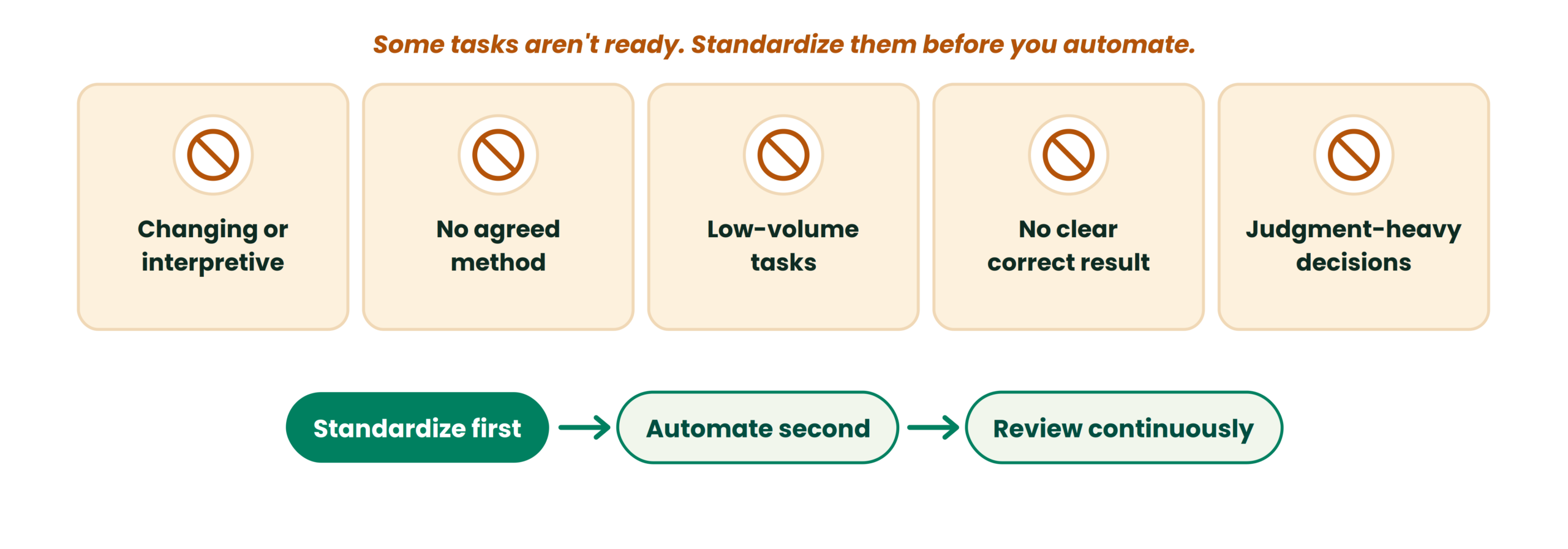
If the process changes constantly or requires interpretation, automation becomes difficult to maintain and expensive to fix. If nobody on the team agrees on how a task should be performed, automating it just makes inconsistency happen faster. Accounting Practice Workflows makes this point clearly: automating an unclear or broken process reproduces its problems at greater speed.
Low-volume tasks often aren’t worth the setup and maintenance effort. Tasks where the team can’t define what a correct result looks like produce automated output that’s difficult to validate. And judgment-heavy accounting decisions (manual journal entries, unusual accounting treatment, advisory work) should stay human-led until the repeatable, rule-based steps around them are stable.
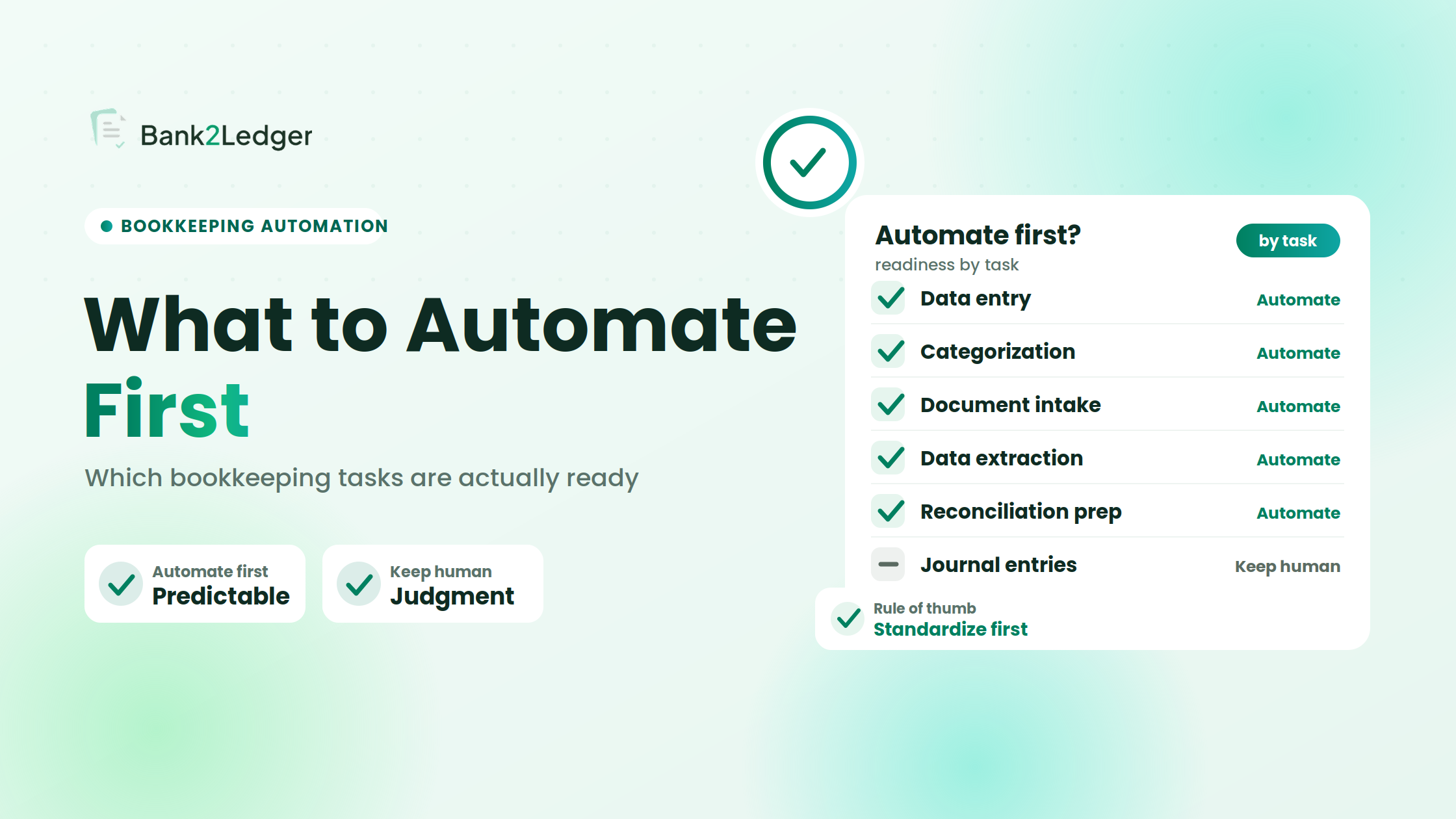
Standardize first. Automate second. Review continuously.
The ugly truth about bookkeeping automation
| Symptom | Root cause | The fix |
|---|---|---|
| Transactions keep miscategorizing | Weak chart of accounts mapping or over-broad rules | Clean up the COA structure before scaling automation |
| Bank recs still take forever | Unmatched items and stale feed connections | Reconcile weekly, not just at month-end; monitor for feed breakage |
| OCR output is messy | Low-quality scans or inconsistent document formats | Standardize client upload templates and request better source files |
| Review team is overloaded | Too many low-confidence items routed to humans | Raise confidence thresholds and automate only the simplest categories first |
| Month-end still slips | No workflow visibility across clients | Use a close tracker and pilot on one to five clients first |
One practical stop/go test from Accounting Practice Workflows: sample five random auto-coded transactions. If three or more are wrong, the rules are too loose. Pause and fix before scaling.
Where practitioners disagree
There’s a live debate about how aggressively to set confidence thresholds for auto-categorization. One camp says start tight (only auto-approve transactions the system is very confident about) and loosen over time as rules mature. The other camp says start loose to reduce manual volume immediately and clean up exceptions as they surface.
I land on the tight side. Starting loose creates a review backlog that erodes trust in the system before it’s had time to prove itself, and that trust problem is harder to fix than a slower initial rollout.
What a human-in-the-loop workflow actually looks like
The practical model for bookkeeping automation isn’t “input goes in, final books come out.” It’s a pipeline with control points.
Input arrives. Automated processing handles extraction, categorization, and matching based on defined rules. Validation checks run against known conditions. Items that fail validation or fall below confidence thresholds land in an exception queue. A reviewer works through exceptions, and their corrections feed back into the rules engine for future cycles. Final output gets reviewed before posting or export.
A system processes a thousand transactions. The predictable ones flow through. The uncertain ones get flagged. The exceptions get investigated. Over time, the exception queue shrinks as rules improve, but it never hits zero. That’s the point. The queue is a feature, not a failure.
Where Bank2Ledger fits
If your firm handles bank statement processing across multiple clients, Bank2Ledger automates the pre-accounting layer between PDF statements and your accounting software, extracting transactions, verifying balances, applying client-specific chart of accounts mapping, and routing exceptions for review before export to QuickBooks, Xero, Tally, Sage, or Excel. See how it works.
Automation readiness checklist
Before automating any bookkeeping task, confirm:
Frequently asked questions
What bookkeeping tasks can be automated?
The strongest candidates are high-volume, rule-based tasks with structured inputs and predictable outputs, including data entry, transaction categorization, document intake, data extraction, matching, reconciliation preparation, and recurring workflow tasks like reminders and task routing. The appropriate automation level depends on how well-defined the process is and how often exceptions occur.
What bookkeeping tasks should not be automated?
Complex accounting treatment, advisory decisions, and final review should remain human-led. Poorly documented workflows and tasks with unclear success criteria should be standardized before automation is attempted.
Can transaction categorization be automated?
Yes, when chart of accounts mapping is clean and coding rules are specific. Broad rules produce consistent mistakes. Client-specific rules with corrections feeding back into the system improve accuracy over time, but ambiguous transactions should always route for review.
Does bookkeeping automation replace accountants?
No. It shifts their work from data entry and repetitive processing toward review, exception handling, and advisory. Staff spend less time typing and more time investigating discrepancies and making judgment calls.
Should a firm automate before standardizing its workflow?
No. Automating an unstandardized process reproduces its inconsistencies faster. Define rules, ownership, inputs, outputs, and review criteria first.
What is the difference between bookkeeping automation and accounting workflow automation?
Bookkeeping automation handles individual tasks like categorization or extraction. Workflow automation connects steps and manages handoffs, deadlines, and status across the team. Most firms need both, built in that order.
The goal of bookkeeping automation isn’t to automate everything. It’s to automate the repetitive work that follows clear rules while keeping professional judgment, exception handling, and final review where they belong. The firms that get this right don’t start with the most complex process. They start with the most predictable one, prove it works, and expand from there.
Start with the most predictable task.
Stop retyping PDF statements. Bank2Ledger extracts transactions, verifies balances, applies your client-specific coding, and routes exceptions for review before export, so your team reviews instead of transcribes.