Yes, ChatGPT can extract transaction data from some bank statement PDFs and arrange it into a structured table. It can parse dates, descriptions, amounts, and running balances with reasonable accuracy on clean, digital documents. But there’s a gap between a ledger-shaped table and an accounting-ready ledger, and that gap is where the actual bookkeeping lives.
The distinction matters because extraction is only the first stage in a six-stage workflow. What follows (verification, categorization, exception review, export formatting, reconciliation) is where professional judgment, client-specific rules, and audit trail requirements come in. ChatGPT can help with parts of this chain. It can’t reliably own the whole thing.
Can ChatGPT read a bank statement PDF?
It can read many of them. Upload a digital PDF with selectable text and ChatGPT will generally identify transaction rows, pull out dates and amounts, and return something tabular. A line like:
03 MAR POS GUSTO PAYROLL 8827 -4,120.00
becomes:
| Date | Description | Amount |
|---|---|---|
| 03 Mar | GUSTO PAYROLL 8827 | -4,120.00 |
That’s useful. But the quality of what comes back depends heavily on the input. Statement layout, scan quality, whether the PDF contains actual text or just an image, how the bank formats multi-line descriptions, how dates are printed. A clean Chase PDF behaves differently from a scanned HSBC statement with watermarks. OCR failures on scanned documents create bad inputs before the model even starts reasoning about the data.
Extraction is real. It’s also just stage one.
What ChatGPT can actually do with bank statement data
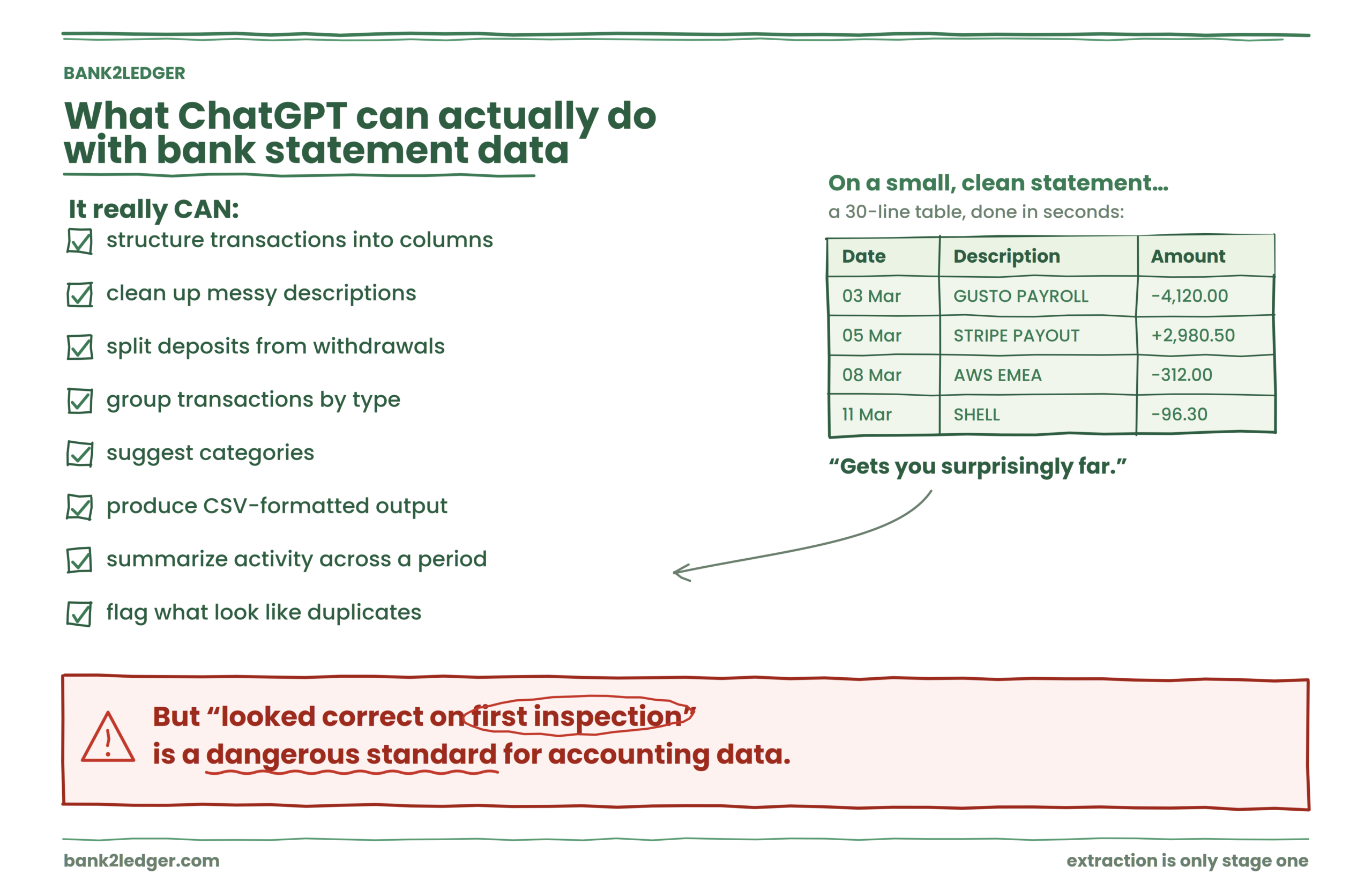
It can structure transactions into columns. It can clean up messy descriptions, split deposits from withdrawals, group transactions by type, suggest categories, produce CSV-formatted output, summarize activity across a period, and flag what look like duplicates.
For a small statement from a single account with straightforward transactions, this gets you surprisingly far. I’ve seen it handle a 30-line statement and produce a table that looked correct on first inspection.
The problem is that “looked correct on first inspection” is a dangerous standard for accounting data.
Where AI bank statement processing breaks down
Nine specific risks show up when you move from casual analysis to production bookkeeping. None of them are theoretical.
Missing transactions.
A table with 47 rows when the statement has 52 transactions looks complete until you count. Large documents, multi-page statements, and pages with unusual formatting are where lines get dropped. The output looks structured and confident regardless of whether it’s complete.
Wrong amounts.
A single transposed digit or misplaced decimal changes everything downstream. -8,129.40 instead of -812.94 is a material misstatement, and the table won’t flag it for you.
Flipped signs.
Withdrawals and deposits need to map correctly to debits and credits in the GL. A payment processor refund that shows as a withdrawal instead of a deposit will distort the bank rec.
Date errors.
Statements from different banks use different date conventions. DD/MM versus MM/DD misinterpretation shifts transactions across months and potentially across reporting periods.
Duplicates.
Repeated rows inflate totals. Two identical $500 entries might be two real transactions or one transaction extracted twice. Without matching against the statement’s running balance, you can’t tell from the table alone.
Ambiguous descriptions.
AWS EMEA 3320157 doesn’t tell you the accounting treatment. Neither does STRIPE PAYOUT 04/22. Batch deposits from payment processors are particularly tricky because a single bank line represents multiple underlying transactions with fees netted out.
Categorization without context.
ChatGPT can suggest “Software” for an AWS charge. But Client A codes that to 6350 Software Subscriptions while Client B uses 6410 Technology Expenses, and Client C treats it as Cost of Sales because they’re reselling cloud infrastructure. The description alone doesn’t resolve this.
No confidence scoring.
Accounting workflows need a mechanism to separate high-confidence matches from items that require human review. A flat table treats every row with equal certainty.
No persistent memory.
If you correct a categorization in one session, that correction doesn’t carry forward to next month’s statement. You’re starting from scratch every time.
A ledger-shaped table is not an accounting-ready ledger
This is the core distinction, and most content on this topic glosses over it.
| Requirement | Basic AI output | Accounting-ready workflow |
|---|---|---|
| Transaction extraction | Yes | Yes |
| Structured table | Yes | Yes |
| Balance verification | Needs manual checking | Built in |
| Duplicate detection | Needs manual checking | Built in |
| Client Chart of Accounts | Context-dependent | Mapped per client |
| Categorization rules | Prompt-based, per session | Persistent, rule-based |
| Exception handling | Manual | Review queue |
| Source traceability | May require manual work | Linked to source page |
| Import formatting | May require cleanup | System-ready output |
| Reconciliation | Manual | Part of the workflow |
| Multi-client management | Not purpose-built | Workspace per client |
The left column isn’t wrong. It’s incomplete. And incomplete is exactly the kind of risk that creates problems at month-end, during review, or when a client asks why their books don’t tie.
Why the Chart of Accounts changes everything
A bank transaction doesn’t contain its own accounting account. SHELL -96.30 could be Fuel & Travel, Vehicle Expenses, Cost of Sales, or a personal charge that shouldn’t hit the P&L at all. The answer depends on the client’s CoA, their accounting policy, and sometimes the business purpose behind the purchase.
This is where categorization separates into three levels:
AI handles level one reasonably well. Level two requires persistent, client-specific rules. Level three still belongs to the accountant.
How to verify AI-extracted transactions
Before trusting any AI-generated transaction data, run through these checks:
Skip any of these and you’re accepting risk that compounds across months and clients.
ChatGPT vs purpose-built bank statement processing
These aren’t competing tools. They’re different categories.
ChatGPT works well for ad hoc analysis, summarizing a statement, reasoning about a handful of transactions, creating structured outputs from messy data, experimenting with categorization logic. If you need to understand a small statement quickly, it’s genuinely helpful.
Purpose-built pre-accounting software is designed for the repeatable parts: processing volume, applying persistent rules, verifying balances, managing exceptions, exporting in formats that accounting systems actually accept, maintaining audit trails, handling multiple clients without cross-contamination.
| Situation | Better approach |
|---|---|
| Understanding a small statement | ChatGPT may help |
| Summarizing transaction activity | ChatGPT may help |
| One-off analysis or research | ChatGPT may help |
| Monthly client statement processing | Purpose-built workflow |
| Client-specific categorization | Rules-based workflow |
| Balance verification | Dedicated validation |
| Multi-client bookkeeping | Dedicated workspace |
| Import-ready accounting files | Purpose-built export |
| Audit and review traceability | Dedicated system |
The question isn’t whether ChatGPT can produce a table. It’s whether that table can survive a bank rec.
What accountants should never skip when using AI
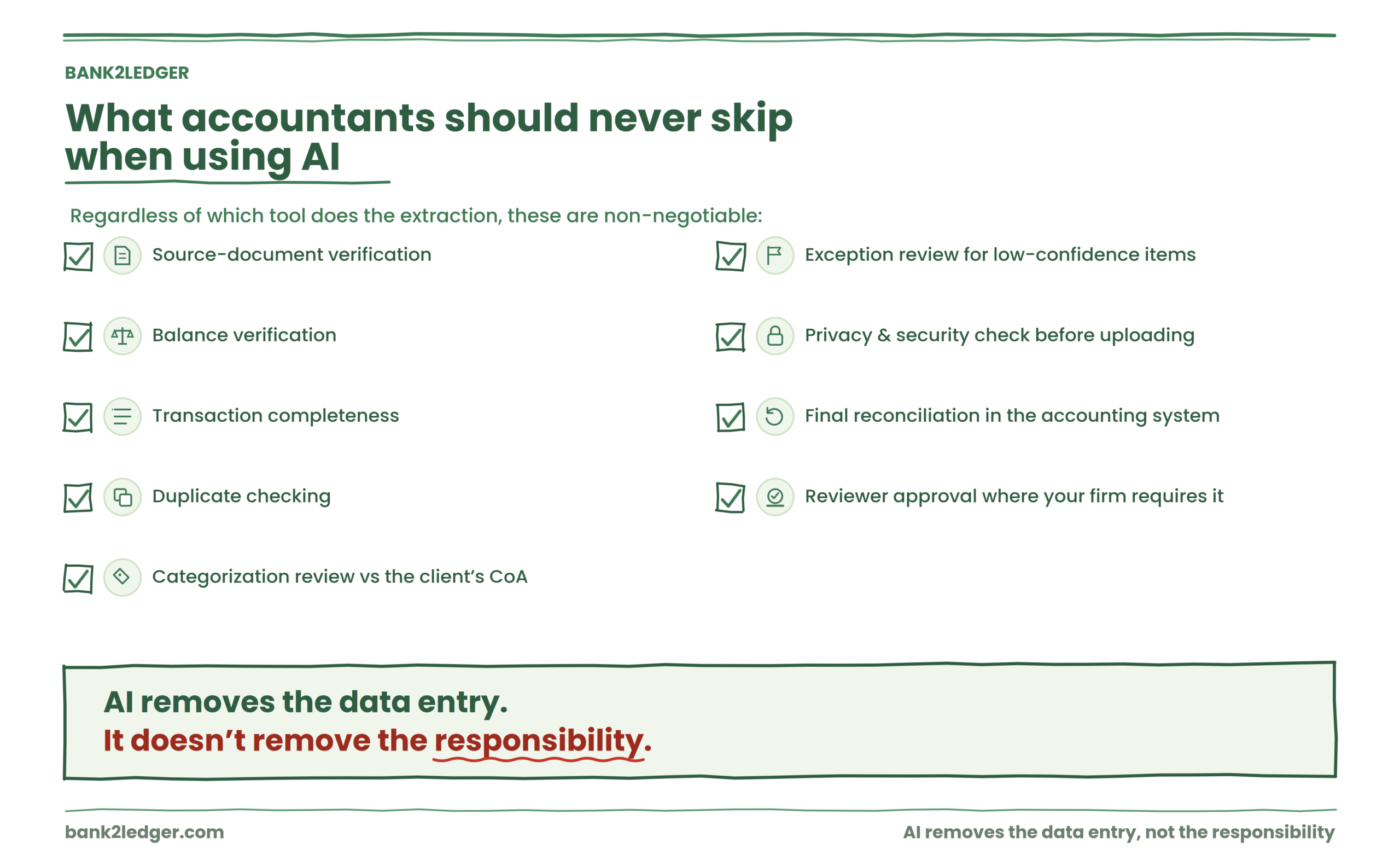
Regardless of which tool does the extraction, these remain non-negotiable: source-document verification, balance verification, transaction completeness, duplicate checking, categorization review against the client’s CoA, exception review for low-confidence items, a privacy and security assessment before uploading client documents, final reconciliation in the accounting system, and reviewer approval where your firm’s workflow requires it.
AI removes the data entry. It doesn’t remove the responsibility.
Have a real statement to process?
Bank2Ledger handles the full chain: extract from digital or scanned PDFs, verify balances, apply your client’s Chart of Accounts and rules, surface exceptions for review, and export directly to QuickBooks, Xero, Tally, Sage, or Excel. Corrections become future rules, so next month is faster. Upload your first statement free.
Frequently asked questions
Can ChatGPT convert a bank statement PDF into Excel?
It can produce a table from many bank statement PDFs that you could paste into Excel. But the output is a starting point, not a finished workpaper. You’ll need to verify completeness, check balances, and format the data before it’s useful for accounting purposes.
Can ChatGPT create a ledger from a bank statement?
It can create something that looks like a ledger. Whether it functions as one depends on whether the transactions are complete, the amounts are accurate, the categorization follows the client’s CoA, and the data can be reconciled. A structured table and a verified ledger aren’t the same deliverable.
Is it safe to upload client bank statements to ChatGPT?
Review your firm’s data handling policies, your client engagement terms, and the current privacy and data retention policies of whatever service you’re using before uploading sensitive financial documents. These policies change, so check them rather than assuming.
How accurate is AI bank statement extraction?
Accuracy depends on document quality, statement layout, and whether the PDF contains selectable text or scanned images. Clean digital PDFs from major banks tend to extract well. Scanned documents, unusual layouts, and multi-page statements introduce more risk. Verification against statement balances is the only reliable accuracy check.
What’s the difference between AI extraction and pre-accounting?
Bank statement extraction converts a PDF into structured data. Pre-accounting is the full workflow between receiving a statement and importing verified, categorized transactions into accounting software. Extraction is one stage. Pre-accounting includes verification, client-specific categorization, exception review, and export formatting.
Should accountants use AI for bookkeeping?
AI reduces the repetitive data processing that consumes bookkeeping hours. It doesn’t replace the judgment calls around categorization, entity structure, tax treatment, or client-specific accounting policies. Use it to handle the mechanical work. Keep the professional review.
The next problem most firms hit after solving extraction is building reusable rules that actually persist across months and clients, so corrections don’t have to happen twice. That’s worth thinking about before you process your second statement.
Turn statements into reconciled ledgers — not just tables
Bank2Ledger extracts, verifies balances, applies each client’s Chart of Accounts, surfaces exceptions, and exports import-ready files — with corrections that become rules for next month.